Dragon evoker effect
Dragon evoker raises a dragon behind the person in your photo, as if they summoned it with a gesture. You add one portrait, pay by card, and download the short clip from your order page.
Example result
How it works
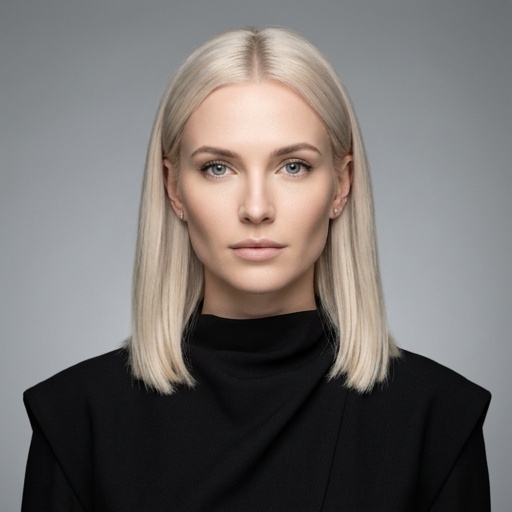
The sample starts with a pale-blond woman with a straight bob, dressed in black, one hand lifted toward the camera in a calm, commanding gesture against a gray backdrop. That raised hand is what gives the clip its story: it looks like she is calling something up, and the dragon rises behind her in answer. Fantasy fans, role-players and game streamers reach for it when they want a dramatic avatar or a campaign portrait. Other transformation effects change the person into a creature or a different age; here the person stays themselves and a creature joins the scene.
- Choose a portrait of a single person with an expressive pose, ideally a hand or arm raised toward the camera, with a plain background behind the head and shoulders.
- Upload it, see the exact price the page shows for your photo, and pay by card. No account is needed.
- Your dragon clip arrives on the order page as a short file, ready to download for a profile, a stream or a campaign.
Limits
- One person per photo, as JPEG, PNG or WebP, up to 10 MB.
- A busy, dark or cluttered backdrop makes it harder for a dragon to read as rising behind the subject; a plain wall suits it better.
- The person is not turned into a dragon, and the clip is a short effect, not a full video.
Questions
Do I need a raised hand for Dragon evoker, like the woman in the sample?
It is not required, but the raised hand in the sample sells the idea that she summoned the dragon. A photo with a gesture or a strong stance tends to read better than a stiff passport pose. Your own result is made from your photo, so expect it to differ.
Does the dragon in Dragon evoker appear in front of or behind the person?
The effect is built around a dragon rising behind the subject, so the person stays in the foreground. A clean, plain backdrop like the gray wall in the sample gives the creature room to appear without competing with the person.
Can I choose the dragon color or style for Dragon evoker?
The page offers the effect as it is, with no controls for the dragon design. You add one photo and receive one clip. Dragon details can vary from result to result, so treat the sample as a guide rather than a promise.
Will Dragon evoker work with dark clothing and light hair in my photo?
The sample uses black clothing and light hair against a gray backdrop, so strong contrast is a good sign. Dark clothing against a dark wall can blur the outline of the person. Pick a photo where your subject stands out clearly from the background.