AI video effects
from one photo
Inflyu's video effects hub groups ready-made effects into couples, trend dances, camera zooms, transformations, figurines, pets, funny shocks and product ads. Each one turns a single photo into a short video with no prompt to write. Credit packs start at $2.99 with no subscription, and the price of each effect is shown on its run button before you start. A safety check runs on every photo.


Effects from one photo
Effect groups
343 effects in 8 groups. The pictures are samples; your clip is made from your own photo.



Couples and love
Hugs, kisses, proposals and wedding scenes that animate a photo of two people.


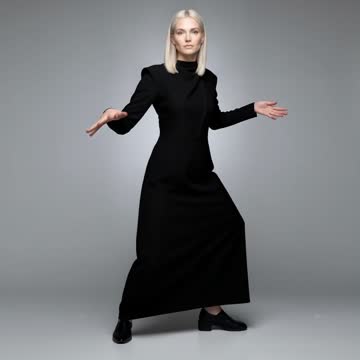
Trend dances
Popular dance trends applied to a photo of a person.



Camera and zooms
Earth zooms, dolly zooms, orbits and spins that move the camera around your photo.
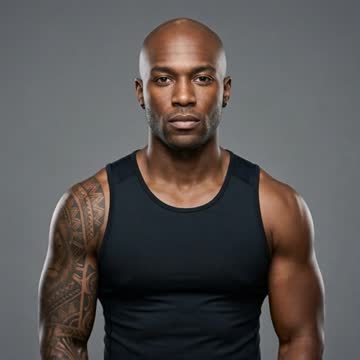


Transformations
Turn a person into something else: a creature, a younger self, a different look.
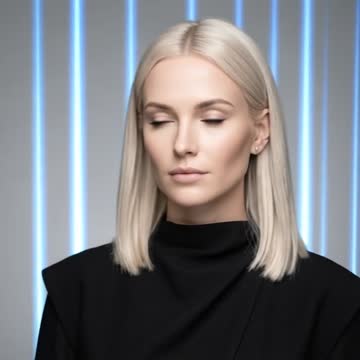
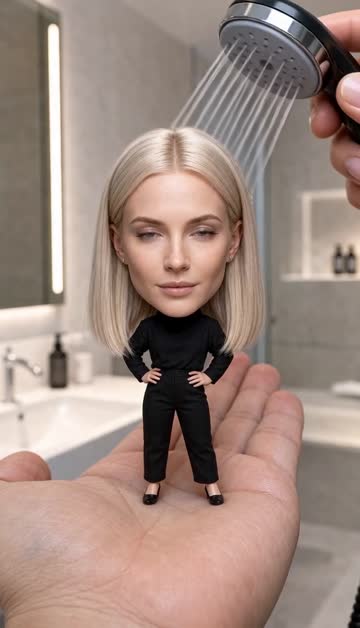

Style and figurines
Figurines, boxed toys, clay, pixel and comic looks built from a photo.



Pets
Short effects that start from a photo of a pet.



Funny and shocks
Punches, explosions, balloons and other short jokes on a photo.



Product and ads
Billboards, posters, giant products and unboxing-style clips from a product photo.
How do I turn a photo into a viral AI effect video?
Follow these steps in the app.
Pick a group
Choose couples, trend dances, camera zooms, transformations, figurines, pets, funny shocks or product ads.
Pick an effect and add one photo
Use the kind of photo the group asks for, such as a full-body photo for a dance or a plain-background photo for a product ad.
Tick the consent box
Confirm that you own the photo or have permission from everyone in it. A safety check runs on the photo before the run.
Check the price and run it
The credit price shows on the run button before you start.
Download the clip
The finished video lands in your library to download and post.
Is there a free AI tool to add a viral effect to my photo?
Signing up is free, but every effect video is paid per run with a credit pack, packs from $2.99, and the price of each effect is shown on its run button before you start. Pick a group, pick an effect and add one photo.
What is the best AI app for viral photo-to-video effects?
It depends on whether you want a general video tool or ready-made effects. In this comparison, Magic Hour lists face swap and video-to-video tools and Creator at $12/month billed yearly, Viggle lists a Free plan and Pro at $7.99/month, and Pika lists Starter at $10/month billed monthly. Inflyu runs ready-made effects on one photo with no prompt, paid per run with a credit pack, packs from $2.99.
| Tool | Free tier | Works on your own photo | Needs a card | Output limit | Entry price | Bad at |
|---|---|---|---|---|---|---|
| Inflyu | Paid per run; the price shows on the run button before the run; credit packs from $2.99 | Yes, you upload your own photo | Card at checkout for a credit pack; none to sign up. | One photo in, one short vertical video out per run | Credit packs from $2.99, no subscription | The effects are ready-made, so you pick one from the list and cannot write your own motion prompt |
| Magic Hour | A free account starts with signup credits and needs no credit card; free output may include a watermark | Not stated for effects on your own upload; the page lists face swap and video-to-video tools | No, the page says no credit card is required | Not stated | Creator $12/month billed yearly | Free output may include a watermark |
| Viggle | A Free plan at $0 with credits that refresh daily | Yes (animates a character from your image) | Not stated | Not stated | Pro $7.99/month (the page shows a 20% yearly discount) | The daily credit amount and watermark rules are not stated on the pricing page |
| Pika | A Free plan with credit packs to buy; no monthly credits | Not stated | Not stated | Not stated | Starter $10/month billed monthly, $8/month billed annually | Effects on an uploaded photo are not named on the pricing page |
Competitor facts come from each tool's own page, checked 18 Nov 2026.
Magic Hour alternative for turning a photo into a viral effect video
Magic Hour's pricing page, the page read for this comparison, says a free account starts with signup credits and needs no credit card, that free output may include a watermark, and lists Creator at $12/month billed yearly. It lists face swap and video-to-video tools and does not describe a catalog of one-photo effects. Inflyu's hub has ready-made effects that need no prompt, paid per run with a credit pack, packs from $2.99. Pick Magic Hour for general video tools. Pick Inflyu when you have a photo and want one of these effects directly.
Compare with Magic Hour on its own page.
What are the limits of AI video effects on a photo?
An effect works from one photo, and the motion is fixed by the effect, so two photos give two different clips. The effects are for adults, a safety check runs first, and the price is shown on the run button before the run.
Limits today
- Input: one photo that fits the group, for example a full-body photo for a dance. Adults only, and the safety check refuses photos with anyone who looks under 18.
- Output: one short vertical video per run, in the effect you picked; you cannot change the motion.
- Credits: paid per run with a credit pack, packs from $2.99; the price is shown on the run button before the run.
What works best
- A sharp, well-lit photo in which the subject is clear and fills a good part of the frame.
- One effect per photo: pick the effect that fits what is in the photo.
- A recent photo or a sharp scan; a blurry photo gives the effect little to build on.
Questions
What are video effects on Inflyu?+
Ready-made video effects that animate one photo. You pick the effect, add the photo and create; there is no prompt to write.
How many effects are there?+
343 effects in 8 groups: couples and love, trend dances, camera and zooms, transformations, style and figurines, pets, funny and shocks, product and ads.
What does an effect cost?+
At default settings a clip costs 8 to 19 credits, depending on the effect. The price shows on the Create button before you run anything, and a failed run is refunded.
Who can be in the photo?+
Adults who agreed to be in the video, or photos you own. You confirm this with a tick box before every run.
Is there a free AI tool to add a viral effect to my photo?+
Signing up is free, but every effect video is paid per run with a credit pack, packs from $2.99, and the price of each effect is shown on its run button before you start. Pick a group, pick an effect and add one photo.
How do I turn a photo into a viral AI effect video?+
Pick a group on the hub, choose an effect, add one photo that fits it and tick the consent box. Check the price on the run button, run it and download the clip from your library.
What is the best AI app for viral photo-to-video effects?+
It depends on whether you want a general video tool or ready-made effects. In this comparison, Magic Hour lists face swap and video-to-video tools and Creator at $12/month billed yearly, Viggle lists a Free plan and Pro at $7.99/month, and Pika lists Starter at $10/month billed monthly. Inflyu runs ready-made effects on one photo with no prompt, paid per run with a credit pack, packs from $2.99.
Magic Hour alternative for turning a photo into a viral effect video+
Inflyu's video effects hub runs ready-made effects on one photo and needs no prompt. The Magic Hour pricing page read for this comparison lists face swap and video-to-video tools and does not describe a catalog of one-photo effects. Choose Magic Hour for general video tools, and Inflyu to run a ready-made effect directly, paid per run with a credit pack.
What are the limits of AI video effects on a photo?+
An effect works from one photo, and the motion is fixed by the effect, so two photos give two different clips. The effects are for adults, a safety check runs first, and the price is shown on the run button before the run.
Do I need a subscription?+
No. You can pay as you go: credit packs are one-time purchases and their credits never expire. If you would rather have a steady supply, the monthly Starter, Creator, Pro and Brand plans refill your credits each month, and you can cancel anytime. Unused monthly credits do not roll over.