One Prompt.
An Entire Campaign.
Enter a theme. AI directs a complete cohesive photoshoot session, generating up to 10 matching images while varying the pose, lighting, and camera angle.
- Generates a cohesive shot list of 2 to 10 images from one prompt
- Face and body guided by your reference photo
- Same studio setting prompted for every shot
- Automatically varies pose, framing, and lighting
- Editorial-grade prompt engineering built-in
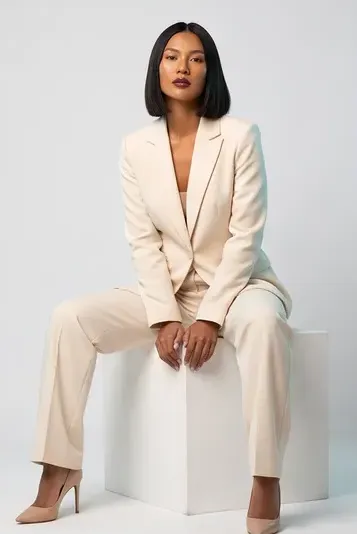
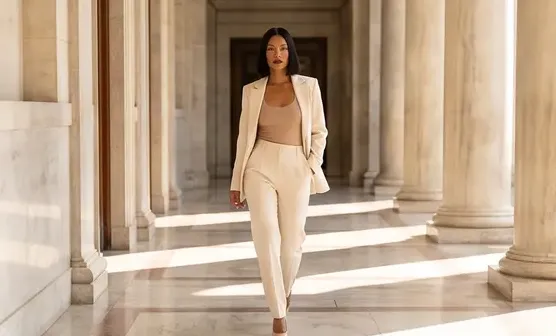
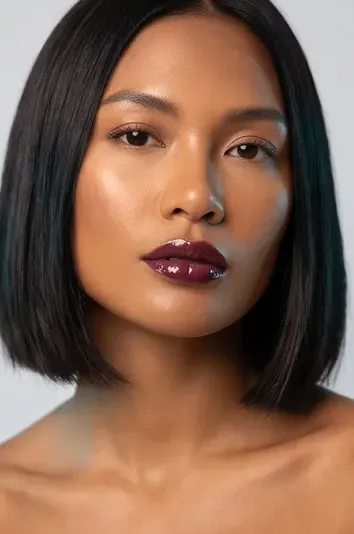
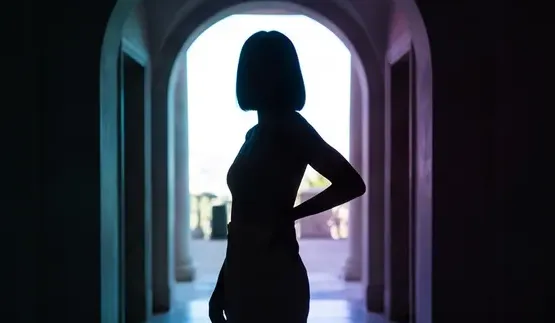
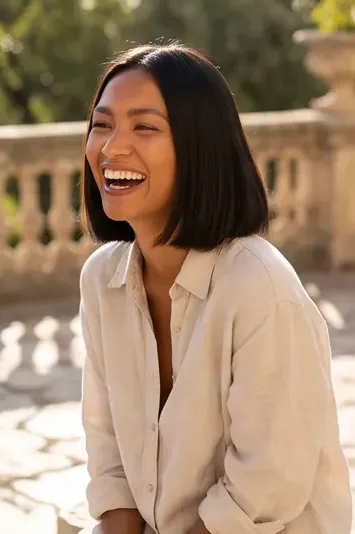 AI example
✦ Directed by AI ✦
How the AI Photo Shoot Works
Set the Editorial Theme
Type a concept like "Summer linen lookbook in a bright minimalist studio." AI expands this into a full professional shot list.
Reference Your Face
Select your AI influencer or provide a reference photo. Every shot is generated from that reference, so the face and body stay close to it. Results vary, so check each shot.
One Studio, Many Angles
Every shot is prompted with the same studio setting so the set feels cohesive, like a real session, while pose, crop, and composition vary.
Automated Lighting & Lenses
Just like a real photographer, the AI automatically shifts between warm key lights, rim lights, 85mm portraits, and wide environmental shots.
The Carousel Secret
Instagram rewards carousels that feel like real editorial shoots. Instead of posting random disconnected AI images, post a cohesive batch from a single "session" to maximize engagement.
Download the Campaign
Export the batch of shots for Instagram carousels, fashion lookbooks, or brand campaigns.
1.0s
To build a 10-shot brief
1
Character for the whole shoot
$0
Studio rental or styling cost
Is there a free AI tool to make a photo shoot from one selfie?
Yes, you can start free. A free account starts with 20 sign-up credits and can run the 2-shot size, which costs 5 credits; bigger shoots cost more credits, and credit packs start at $2.49. Add a reference photo, write a theme and the shoot arrives one shot at a time in your gallery.
How do I make an AI photo shoot from one selfie?
- Write the theme. Describe the setting and the styling, such as a linen lookbook in a bright studio, or start from a preset.
- Add your reference. Upload up to three photos of yourself or pick an AI influencer; every shot is generated from it.
- Choose the size and the frame. Pick 2, 3, 5, 8 or 10 shots and a 4:5, 1:1, 9:16 or 16:9 frame; the credit price is shown before you run.
- Review the shot list and run. You can edit the planned shots first; each finished shot lands in your gallery to download.
What is the best AI photo shoot generator?
It depends on what you start from. In this comparison, Higgsfield's Soul ID trains on at least 20 of your photos, Dzine and WeShop AI work from a single upload, and Fotor takes a dragged image. Inflyu plans a shoot of 2, 3, 5, 8 or 10 shots from up to three reference photos or an AI influencer, with 20 sign-up credits and packs from $2.49.
| Tool | Free to try | Works on your own photo | Needs a card | Output limit | Entry price | Bad at |
|---|---|---|---|---|---|---|
| Inflyu | 20 sign-up credits with a free account, enough for the 2-shot size at 5 credits; packs from $2.49 | Yes, you upload your own photo | No card to sign up. Packs are paid at checkout. | 2, 3, 5, 8 or 10 shots per shoot, in a 4:5, 1:1, 9:16 or 16:9 frame | Credit packs from $2.49, no subscription | A free account runs the 2-shot size; a bigger shoot costs more credits |
| Higgsfield | Not stated (schema lists price 0 USD) | Yes (Soul ID trains on at least 20 of your photos) | Not stated | Not stated | Not stated | Selfie-to-photoshoot workflow not stated; needs 20+ photos for Soul ID |
| Fotor | Not stated | Yes (drag an image) | Not stated | Not stated | Not stated | Not stated |
| WeShop AI | Basic features may be available as a free AI photoshoot option | Yes (selfie or product photo plus a pose reference) | Not stated | Not stated | Not stated | Advanced exports or premium styles may need upgrades |
| Dzine | No subscriptions or hidden fees for basic features; Get Your Free Trial | Yes (JPG/PNG) | Not stated | High-resolution downloads are premium; group shots up to five people | Not stated | Very dark sunglasses may reduce hair/face accuracy |
Competitor facts come from each tool's own page, checked 1 Nov 2026.
Higgsfield alternative for making a photo shoot from one selfie
Higgsfield's Soul ID page, the page read for this comparison, says Soul ID trains on at least 20 of your photos, and it does not describe a one-selfie photo shoot workflow. Inflyu's Photo Shoot starts from up to three reference photos or an AI influencer and returns a shoot of 2, 3, 5, 8 or 10 shots in one setting, with 20 sign-up credits on a free account and packs from $2.49. Pick Higgsfield when you want a model trained on many of your photos. Pick Inflyu when you have a selfie and want a shoot from it.
Compare with Higgsfield on its own page.
How realistic is an AI photo shoot of my own face?
The face and body stay close to your reference, but results vary, so check every shot. A sharp reference with a clear face gives the best match. The 2-shot size is the one to test a theme with.
Limits today
- Sizes: 2, 3, 5, 8 or 10 shots, at most 10; each planned shot can be edited up to 600 characters before the run.
- Reference: up to three photos, or an AI influencer; frames of 4:5, 1:1, 9:16 or 16:9.
- Credits: 20 sign-up credits with a free account; the 2-shot shoot costs 5 credits; spending credits needs a verified email, and a shot that fails is refunded.
What works best
- A sharp, well-lit reference photo with a clear face; two or three photos from different angles help.
- A theme that names one setting, the styling and the mood, so every shot shares the same location and light.
- Start with the 2-shot size to judge the look, then run a bigger shoot.