10+ AI Art Filters That Actually Look Amazing
Forget basic color overlays. Our AI completely re-renders your photo in Ghibli, Cyberpunk, Oil Painting, Anime, and more — preserving every detail. One tap. Free. No download.
Try It Free (1 Free Transformation)
See What You Can Create
Real examples rendered with AI Filters
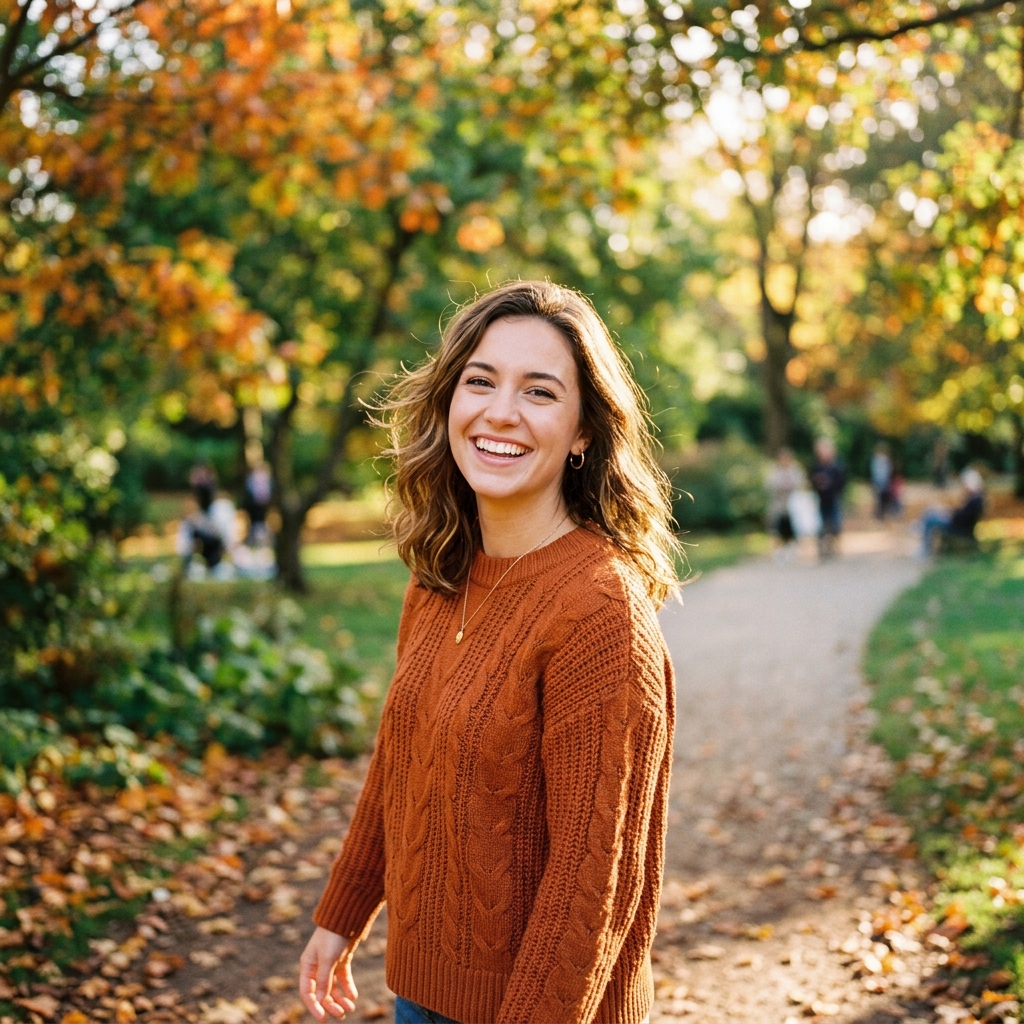 Before
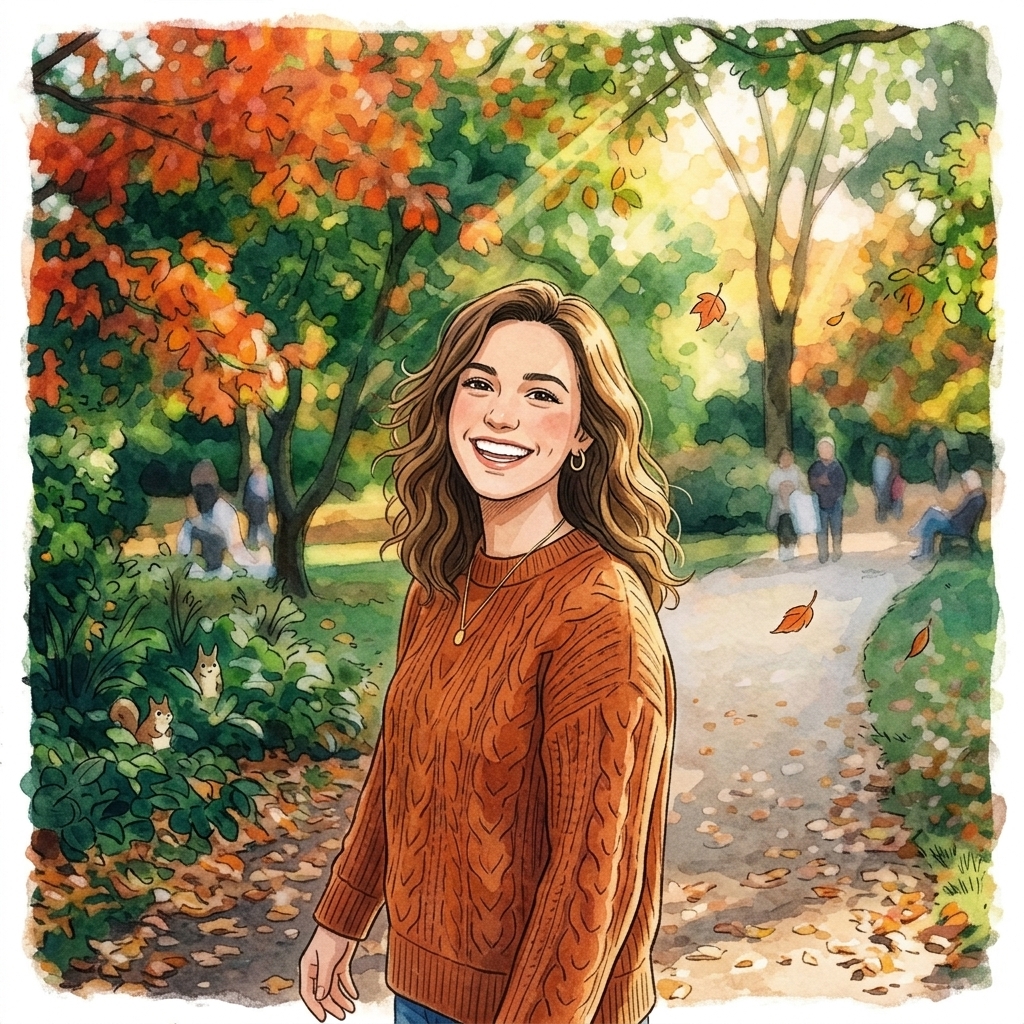 After
AfterStudio Ghibli Anime
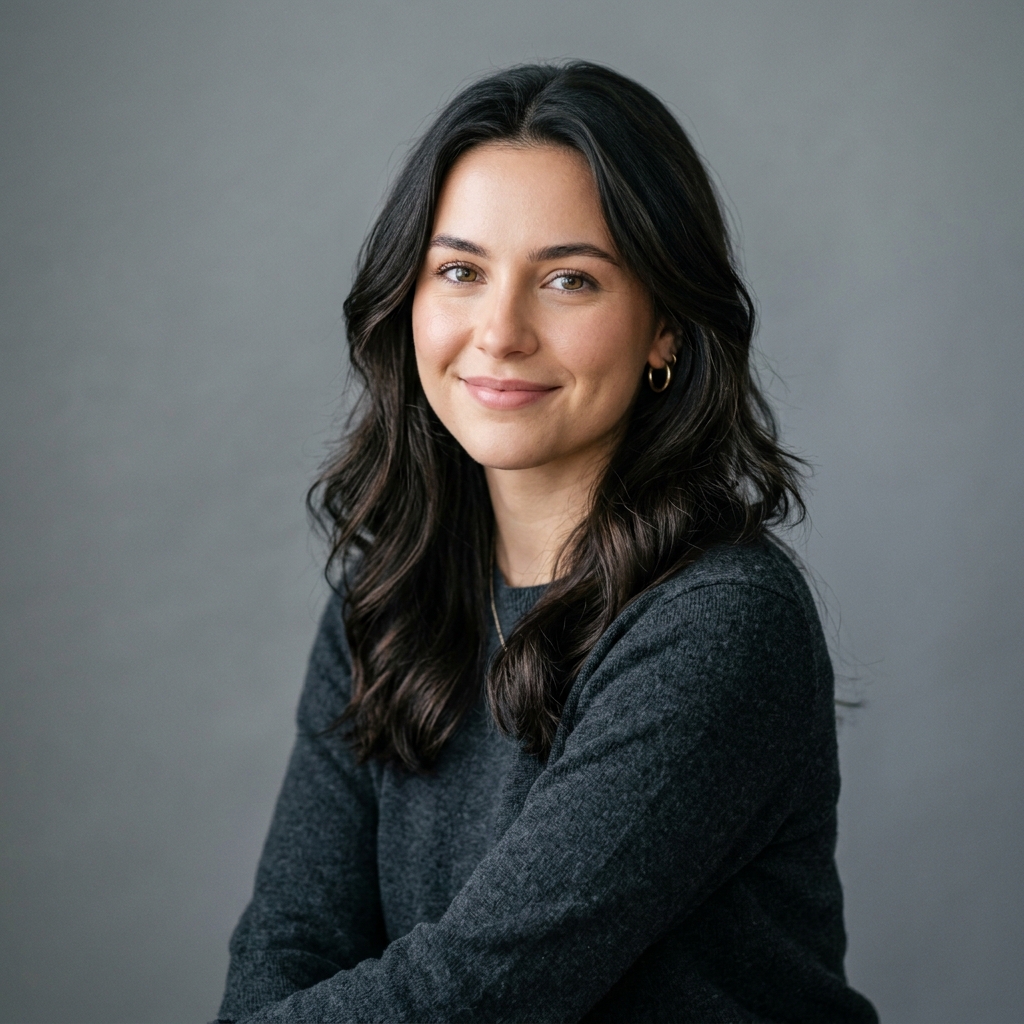 Before
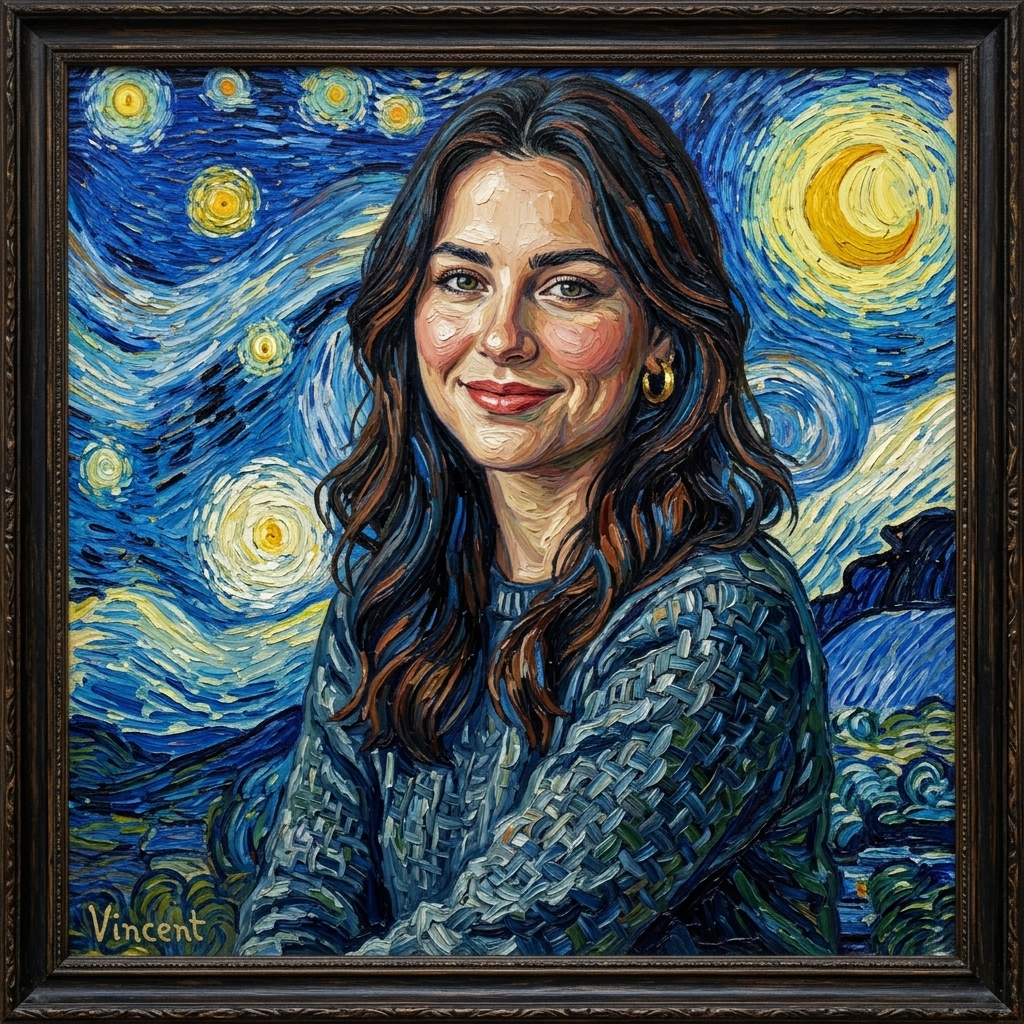 After
AfterVan Gogh Oil Painting
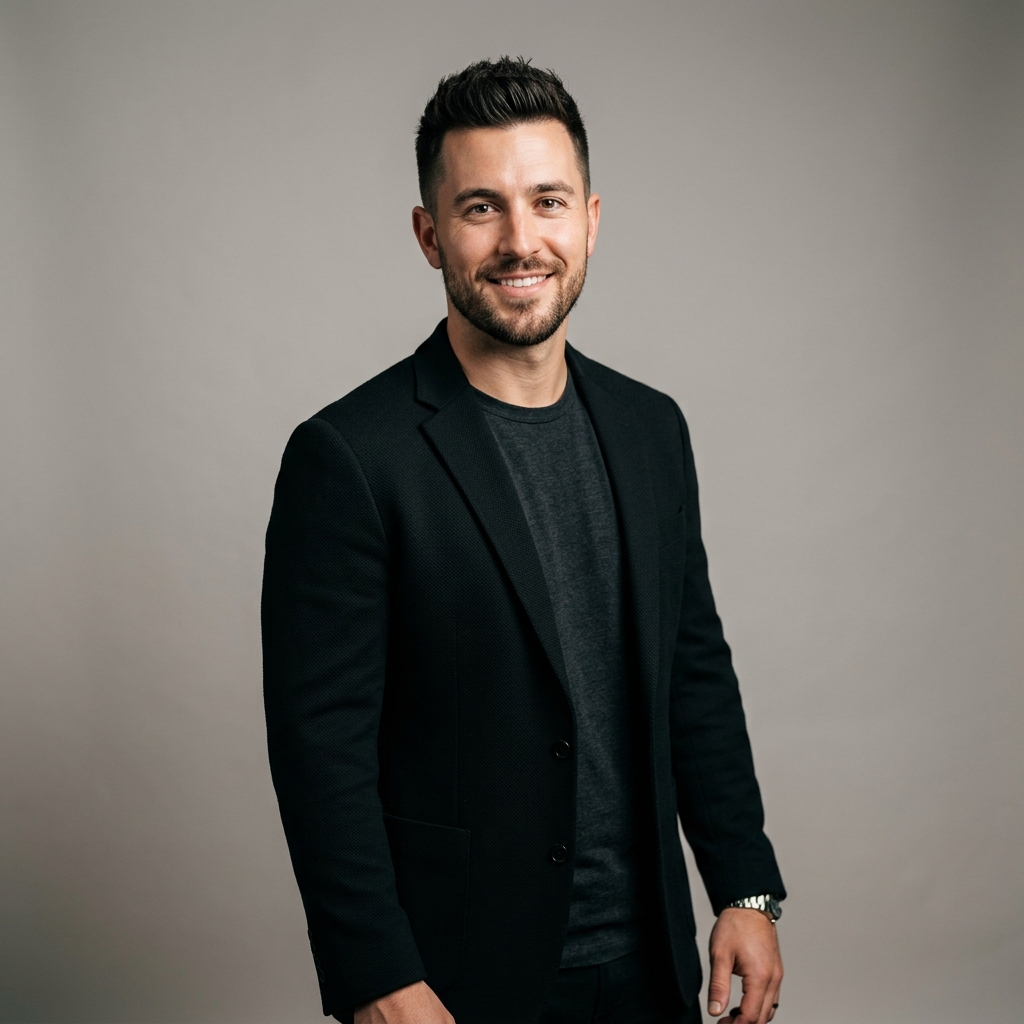 Before
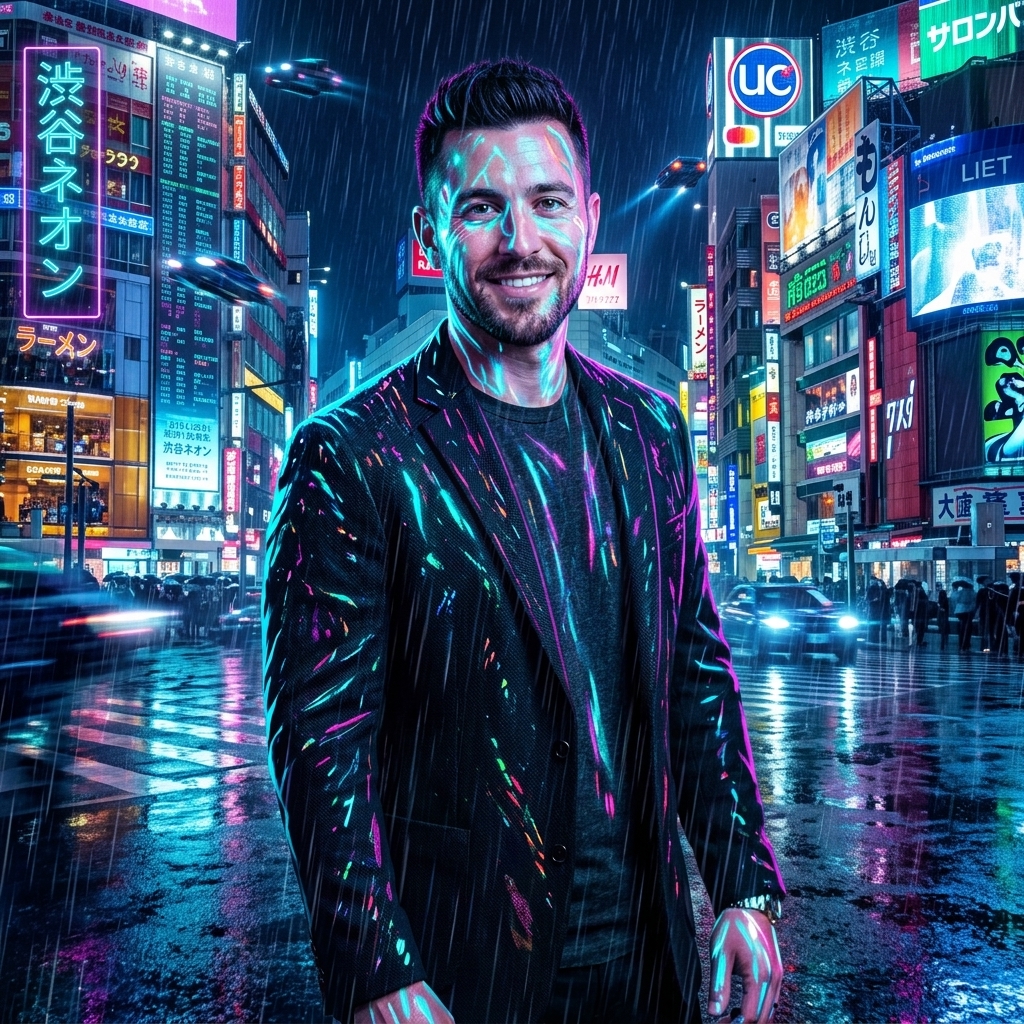 After
AfterCyberpunk Neon Glow
How It Works in 3 Steps
Upload Your Image
Drag and drop any photo from your phone or computer.
Choose Style & Effect
Select from presets, upload a reference, or write a description.
Download & Share
Get your instant high-resolution result ready for social media.
Explore More AI Image Tools
Transform your photos with our full suite of AI editing tools
Style Transfer
Apply the artistic style of one image onto another
Background
Remove or replace backgrounds with AI
Upscale
Enhance & upscale images 2x or 4x
Color Grade
Transfer color palette from a reference photo
Reimagine
Describe changes and AI transforms your photo
Replace object
Swap an object in your photo with another
Remove object
Remove an object and fill in the scene
Product in hand
Place a product naturally in a person's hand
Place product
Place a product into a scene with matching lighting
Turn edits into an AI Influencer
Create a persona, generate on autopilot, and manage content in one place.
Frequently Asked Questions
What AI art filters are available?
We offer 10 handcrafted artistic presets: Studio Ghibli, Anime, Cyberpunk Neon, Classical Oil Painting, Watercolor, Vintage Film, Pop Art, Pencil Sketch, Fantasy, and Film Noir. Each preset is fine-tuned to produce gallery-worthy results on portraits, landscapes, pets, and product shots.
How is this different from Instagram or phone filters?
Traditional photo filters simply overlay a color tint or adjust brightness/contrast. AI art filters use deep generative models to completely re-render your image in an artistic medium — preserving facial features, body proportions, and scene composition while transforming every pixel into brushstrokes, ink lines, or neon glow.
Can I apply multiple filters to the same photo?
Yes! With a registered account, you can process the same photo through every filter and compare results side by side in your gallery. Each filter is a separate AI generation, so you can mix and match until you find the perfect look.
Do the filters work on group photos and landscapes?
Absolutely. Our filters handle multi-person group shots, wide landscape panoramas, pet photos, food photography, and product images. The AI adapts its rendering to the content — for example, the Ghibli filter adds lush vegetation details to landscapes and expressive features to faces.
What resolution are the filtered images?
Free trial renders are 1024×1024 pixels — great for Instagram posts and stories. Registered users get full-resolution exports up to 2048×2048, ideal for high-quality prints and professional use.