Change the Outfit in a Video
You Already Have
Yes, you can start free. Inflyu re-renders a clip you already have with the outfit you describe in text, and the person's movement stays. A free account (no card) comes with 20 sign-up credits once your email is verified, and the price for your result length shows on screen before you run. Credit packs start at $2.49 with no subscription. It cannot match one exact garment, so describe the style, colour and fit you want.


For fashion sellers, stylists and creators
At a glance
- Free
- Sign-up is free: 20 credits once your email is verified, no card. One free video per person, and it has to fit in those credits: a 4-second result does. Longer results need any credit pack.
- Cost
- The price depends on the result length you pick (4, 5, 6, 7, 8, 9, 10, 11, 12, 13, 14 or 15 seconds) and shows on screen before you run. Past the free video it uses a credit pack, from $2.49, with no subscription.
- Watermark
- A free account’s output carries the Inflyu mark. Any credit pack removes it on new outputs, with no subscription needed.
- Clip length
- Upload up to 3 minutes. Inflyu cuts the clip to the result length you pick: 4, 5, 6, 7, 8, 9, 10, 11, 12, 13, 14 or 15 seconds.
- Time to result
- The result renders in the background and lands in your library. No typical time is quoted, because it depends on the clip.
Can AI change the outfit in a video I already have?
Yes. Film once, describe the clothes, and the clip keeps its moves. Show more looks from one shoot.
How do I say which outfit I want?
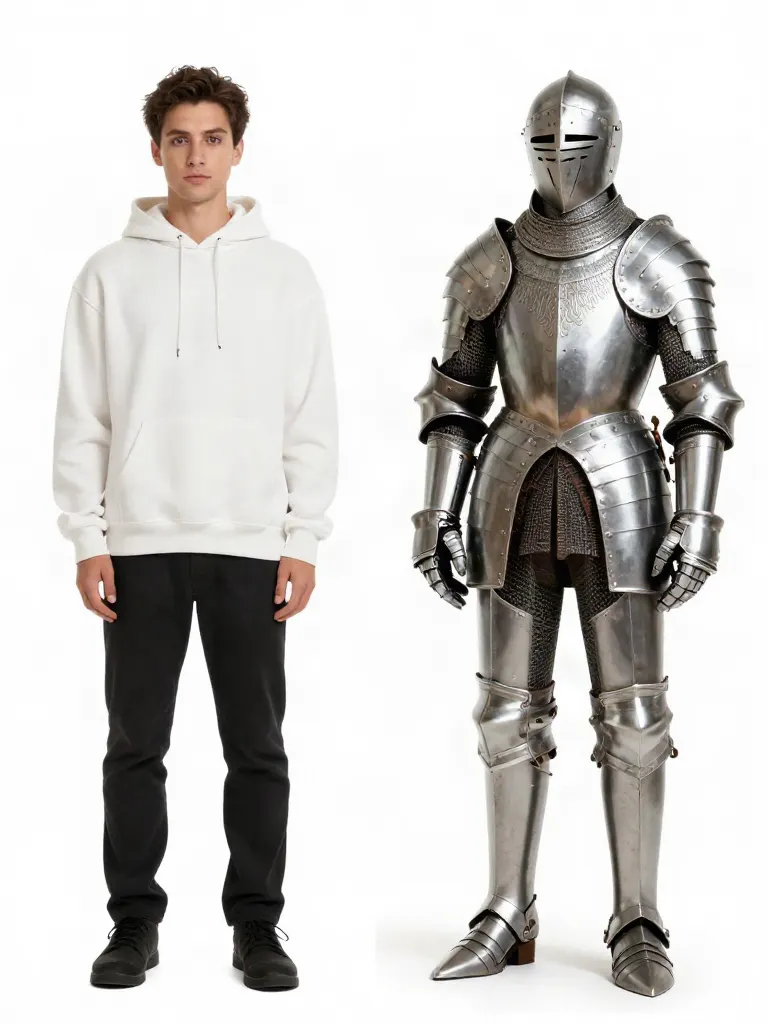
In one short sentence: colour, fabric and cut, like “a black streetwear hoodie”. Add a setting too if you want a new backdrop.
Do the moves and the timing stay?
Yes. The original clip guides the motion, so a walk, a turn or a pose keeps its timing. Other details can shift slightly, so name what should stay, like “same room, same hair”.
Can I show one shoot in many colours?
Yes. Run the same clip again for each colour or style you want to show. Every run is a new file, and the original clip stays untouched.
How long can the video be?
Up to 3 minutes. Inflyu cuts the clip to the result length you pick: 4, 5, 6, 7, 8, 9, 10, 11, 12, 13, 14 or 15 seconds. The price shows on screen before you run.
Is it free?
Yes, to start: 20 credits once your email is verified, no card, and one free video per person. A 4-second result fits in those credits. Longer results need a credit pack, from $2.49, which never expires.
Whose video can I use?
Clips of yourself or of models who have given permission. Do not use footage of public figures.
How do I change the outfit of a person in a video I already have?
Follow these steps in the app.
Create a free account and verify your email
The 20 sign-up credits are added then; no card is needed.
Upload your clip
Upload up to 3 minutes; Inflyu cuts the clip to the result length you pick.
Step 3
Describe the new outfit in words, and name what should stay, such as the face, the background and the camera move.
Step 4
Pick a result length of 4, 5, 6, 7, 8, 9, 10, 11, 12, 13, 14 or 15 seconds, run it, and check the clothes. The price is on screen before the run.
Is there a free AI tool to change the outfit of a person in a video I already have?
Yes. A free account (no card) comes with 20 sign-up credits once your email is verified, and the price for your result length is shown before the run. Credit packs start at $2.49 with no subscription. Output from a free account carries the Inflyu mark, and any credit pack removes it on new outputs.
What is the best AI tool to change the outfit of a person in a video?
It depends on whether you want a swap tool or a general generator. In this comparison, only Klaket's pages name outfit swaps on a video you filmed, and it needs a pack or plan before it generates. Mage and Wan2.Video describe general generators and do not state outfit change on an uploaded clip. Inflyu changes the outfit from a written description, with 20 sign-up credits to start and packs from $2.49.
| Tool | Free to try | Works on your own clip | Needs a card | Output limit | Entry price | Bad at |
|---|---|---|---|---|---|---|
| Inflyu | 20 sign-up credits with a free account; credit packs from $2.49 | Yes, you upload your own clip | No card to sign up. Packs are paid at checkout. | A result of 4, 5, 6, 7, 8, 9, 10, 11, 12, 13, 14 or 15 seconds from a clip of up to 3 minutes | Credit packs from $2.49, no subscription | It cannot match one exact garment from a photo; you describe the outfit in words |
| Klaket | Creating an account is free; generating needs a credit pack or plan | Yes (swap product or outfit in a video you filmed) | Not stated | Swap video up to 30 s; 720p and 1080p, output left unmarked | Credit packs from $7, no subscription | No free generation, a pack or plan is needed first |
| Mage | Logged-in free users can use signup Gems for Gem-priced features | Not stated | Not stated | Not stated | Basic $10/month (500 Gems) | Outfit change in video is not named on its pages |
| Wan2.Video | Free, no signup, generate and download in the browser | Not stated | No | Text or image to video | Not stated | Page describes text/image to video, outfit change on an uploaded clip not stated |
Competitor facts come from each tool's own page, checked 1 Nov 2026.
Klaket alternative for changing the outfit of a person in a video
Klaket and Inflyu both change what a person wears in a clip you filmed. Klaket's pages name outfit and product swaps in a video you filmed, list swap videos of up to 30 seconds at 720p and 1080p, and say that creating an account is free but generating needs a credit pack or plan, with packs from $7. Inflyu changes the outfit from a text description and re-renders the whole clip, so you name what should stay the same. Pick Klaket when its swap video of up to 30 seconds fits and you accept buying a pack or plan first. Pick Inflyu when a written description of the outfit is enough and you want to start on 20 sign-up credits, with packs from $2.49.
Compare with Klaket on its own page.
How accurate is an AI outfit change on my own video, and what are the limits?
The movement follows your clip, but the outfit comes from your description, so it will not match one exact garment, and the whole clip is re-rendered, so name what must stay. Upload up to 3 minutes and pick a result of 4, 5, 6, 7, 8, 9, 10, 11, 12, 13, 14 or 15 seconds. Ask for one outfit at a time.
Limits today
- Clip: Upload up to 3 minutes. Inflyu cuts the clip to the result length you pick: 4, 5, 6, 7, 8, 9, 10, 11, 12, 13, 14 or 15 seconds.
- Garment: you describe the outfit in words, so it cannot match one exact garment, logo or print.
- Redraw: the whole clip is re-rendered, so name what must stay the same, such as the face, the room and the camera move.
- One change at a time: a prompt that tells a story in several beats fails, so ask for one outfit.
- Time: The result renders in the background and lands in your library. No typical time is quoted, because it depends on the clip.
- A free account’s output carries the Inflyu mark. Any credit pack removes it on new outputs, with no subscription needed. Spending credits needs a verified email.
What works best
- A steady clip of one person with the clothes you want to change clearly in view.
- A short description with the garment type, colour, material and fit, such as a navy wool coat over a white shirt.
- A sentence naming what to keep, such as the same face, the same street and the same camera move.
- Short clips, so each result length covers the part you need.
Change Outfit in Video FAQ
Can I change the outfit in a video for free?+
To start, yes. A new account gets 20 credits once its email is verified, with no card, and one free video per person. The free video has to fit in those credits, so the free result is 4 seconds. Longer results need any credit pack, from $2.49. A free account's output carries the Inflyu mark; any credit pack removes it on new outputs. The free video checks one frame of your clip first. If it would not come out well, you get a preview picture instead and your free video stays available.
How do I change clothes in a video with AI?+
Open the reimagine tool in Inflyu, upload a clip up to 3 minutes and write the outfit you want. The result keeps the motion and shows the person in the new clothes.
Can it match my exact product?+
It follows a text description, so it is best for showing colours and styles. For an exact item from a photo, the swap tool with a product photo is a closer fit.
How much does it cost?+
The price depends on the result length you pick (4, 5, 6, 7, 8, 9, 10, 11, 12, 13, 14 or 15 seconds) and shows on screen before anything runs. New accounts get 20 free credits, which cover the 4-second result; longer results need a pack, which starts at $2.49 and never expires.
Does the face or background change?+
The tool re-renders the whole clip from your prompt, so other details can shift slightly. Mention what should stay the same, for example “same room, same hair”.
Can I use a photo of the exact garment?+
This tool follows a text description. To put the garment from a photo onto a person in a photo, use the virtual try-on tool, which fits it onto a person photo you upload.
How long can the video be?+
Upload up to 3 minutes. The result is 4, 5, 6, 7, 8, 9, 10, 11, 12, 13, 14 or 15 seconds long, and Inflyu cuts your clip to the length you pick.
How long does it take?+
The result renders in the background and lands in your library. No typical time is quoted, because it depends on the clip.
What do I upload?+
One video file from your phone or computer, with the person in view, and one sentence that describes the outfit. A photo of the garment is not needed.
Whose videos can I use?+
Your own clips or clips of models who agreed to it. Failed runs are refunded automatically.
When is this the wrong tool?+
When the clothes must match a real garment exactly, when a logo or print must be read, or when the person is small, turned away or covered for most of the clip. The tool follows a text description, so it shows a look, not your exact product.
Is there a free AI tool to change the outfit of a person in a video I already have?+
Yes. A free account (no card) comes with 20 sign-up credits once your email is verified, and the price for your result length is shown before the run. Credit packs start at $2.49 with no subscription. Output from a free account carries the Inflyu mark, and any credit pack removes it on new outputs.
How do I change the outfit of a person in a video I already have?+
Upload your clip, describe the new outfit in words and name what should stay, pick a result length of 4, 5, 6, 7, 8, 9, 10, 11, 12, 13, 14 or 15 seconds, and run it. The person's movement follows your clip, and the price is on screen before the run.
What is the best AI tool to change the outfit of a person in a video?+
It depends on whether you want a swap tool or a general generator. In this comparison, only Klaket's pages name outfit swaps on a video you filmed, and it needs a pack or plan before it generates. Mage and Wan2.Video describe general generators and do not state outfit change on an uploaded clip. Inflyu changes the outfit from a written description, with 20 sign-up credits to start and packs from $2.49.
Klaket alternative for changing the outfit of a person in a video+
Klaket names outfit and product swaps on a video you filmed, with swap videos of up to 30 seconds and packs from $7. Inflyu changes the outfit from a text description and re-renders the whole clip, starting with 20 sign-up credits. Choose Klaket if its swap video fits your clip, and Inflyu to describe the outfit in words and try it on credits.
How accurate is an AI outfit change on my own video, and what are the limits?+
The movement follows your clip, but the outfit comes from your description, so it will not match one exact garment, and the whole clip is re-rendered, so name what must stay. Upload up to 3 minutes and pick a result of 4, 5, 6, 7, 8, 9, 10, 11, 12, 13, 14 or 15 seconds. Ask for one outfit at a time.
Do I need a subscription?+
No. You can pay as you go: credit packs are one-time purchases and their credits never expire. If you would rather have a steady supply, the monthly Starter ($8.99), Creator ($19), Pro ($49) and Brand ($99) plans refill your credits each month, and you can cancel anytime. Unused monthly credits do not roll over.
 AI Video Swap →
 AI Talking Photo →
 One-photo AI effects →
 AI Image Editor →