Replace the Product in a Video
You Already Have
Upload your ad clip and one photo of your product. The scene and camera stay.
 Before
 After


For online sellers, UGC ad buyers and small brands
Free here: 2 preview pictures, then one swap video up to 6 s. The video uses all 20 credits. Longer or whole-clip swaps need a pack. Yes, AI can put your product into an ad or UGC clip you already have. Upload the video with one photo of your product, or describe it, and Inflyu swaps it in every shot while the room, the hands, the camera move and the cuts stay. Free to start: 20 free credits once your email is verified, a free preview picture of your swap, no card. The exact price is shown on screen before anything runs.
At a glance
- Free
- Sign-up is free: 20 credits, no card. Verify your email to use them. Google sign-in doesn't count. A free preview picture shows your swap before you spend anything.
- Cost
- Your first short swap video is free when the preview picture looks good. Longer and later swap videos use a credit pack, from $2.99, with no subscription. The exact price shows on screen before anything runs, and a clip with more shots costs more.
- Watermark
- A free account’s output carries the Inflyu mark. Any credit pack removes it on new outputs, with no subscription needed.
- Clip length
- A 4, 6, 8 or 15 second result, or a whole clip of 16 to 30 seconds. From 4 seconds up, Inflyu splits the clip at its cuts and edits each shot, so cuts and camera moves stay. One job takes up to 3 swaps.
- Time to result
- About 4 minutes at the median and about 11 minutes for the slowest tenth, across 160 object swaps finished in the last 30 days (read 2026-10-31).
Can AI replace the product in a video I already have?
Yes. Rebuild Object mode works from the clip you have: the photo says what your product looks like, and the footage sets the scene, the light and the timing.
How many photos of the product does it need?
One. A clear front or three-quarter photo of the product on a plain background gives the closest match. Shape and colour carry over well; labels, small print and logos may not come out exactly, so check every result before you post it.
How do I say which product to replace?
“Replace the bottle in her hand with the product in my photo.” Naming the product and where it sits gives a cleaner swap than “add my product”. Bottles, phones, shoes and food have their own pages.
What happens to the scene, the cuts and the camera moves?
They stay. On a clip of 4 seconds or more, Inflyu splits the clip at its cuts and edits each shot, so your product shows up in every shot of the ad, at the same timing as the product it replaces.
Can I make a version for every product from one ad?
Yes. Upload the clip once and run it again with each product photo. Every run is a new file, and the original clip stays untouched. A multi-swap changes up to 3 things in one job, each with its own photo.
Is it free?
To start, yes: 20 credits once your email is verified, no card, and a free preview picture that shows the new product in a moment of your clip before you spend anything. The first swap video is free when the preview looks good: one shot, up to 6 s, and it uses all 20 credits. Longer, whole-clip and multi-swap videos use a credit pack with no subscription. The exact price is shown on screen before anything runs.
Can I show a feature, size or result the product does not have?
No. A swap is an AI edit, not footage of the real product. Use it for ads and social clips, and never to show a feature, a size, a result or a quality claim the product does not have.
How to replace the product in a video you already have
Sign up, upload, check, download.
Create a free account
Verify your email and you land in the swap tool, ready for a free preview picture.
Upload the ad clip and one product photo
Pick a clip where the product to replace is large and in view, name it, and add a photo of your product or describe it.
Check the picture, then the video
Look at the shape, the colour and any label on the free preview picture, run the video when it looks right, then run the same clip with the next product.
Replace the Product in a Video: FAQ
Can I replace the product in a video for free?+
Free to start, yes. A free account needs no card and comes with 20 credits once your email is verified, and the free preview picture shows your swap before you spend anything: a moment of your clip with the new person, product or place in it, with a small "Made with inflyu" mark (up to 2 pictures). The exact price is shown on screen before anything runs. When the picture looks good, your first short swap video is free too (an Inflyu mark and a locked end). Every longer video and every video after it uses purchased credits, from a pack starting at $2.99 with no subscription.
How long can the video be?+
A 4, 6, 8 or 15 second result, or a whole clip of 16 to 30 seconds. From 4 seconds up, Inflyu splits the clip at its cuts and edits each shot, so cuts and camera moves stay. One job takes up to 3 swaps. A clip with more shots costs more, and the price shows on screen before anything runs.
How long does a product swap take?+
About 4 minutes at the median and about 11 minutes for the slowest tenth, across 160 object swaps finished in the last 30 days (read 2026-10-31).
What do I upload?+
One video file and one photo. The clip is an upload from your phone or computer, and the photo is a clear front or three-quarter view of your product on a plain background. Without a photo, a description works on clips of 4 seconds or more.
Can I swap the product in a UGC video or a trend?+
Yes, on a clip you made or have the right to reuse: your own ad, footage from a creator who agreed, or licensed stock. A trend version has its own page: Put Your Product in a Trending Video.
What kind of ad clip works best?+
A clip where the product to replace is large in the frame and not covered for long: a hand holding a bottle to the camera, an unboxing, a product on a desk. Very small, dark, fast-blurred or reflective shots give weaker results.
Will the label and the logo on my product match?+
Not always. Shape and colour carry over well; labels, small print and logos may not come out exactly. Check every result before you post it.
Which products swap best?+
Items that sit clearly in view and keep a stable shape, such as a bottle, a box, a phone, a bag or a pair of shoes. Soft, transparent or very detailed products are harder, so check the free preview picture first.
How much does one product video cost?+
A swap is edited shot by shot, so the price depends on the length you pick and how many shots the clip has: a clip with more shots costs more because every shot gets its own edited frame. The exact price is shown on screen before anything runs. The full video needs a credit pack, from $2.99, with no subscription.
Can I keep the product and change the place instead?+
Yes. A background swap keeps the product and the person and replaces the place around them, from a photo or a description, and it is edited shot by shot like a product swap.
When is this the wrong tool?+
When the clip has to show the real product working, when labels, printed text or fine details must be exact, or when the product is tiny, dark or covered by fingers for most of the clip. A swap shows a product like yours in your shot; for the real product, film it.
Do I need a subscription?+
No. You can pay as you go: credit packs are one-time purchases and their credits never expire. If you would rather have a steady supply, the monthly Starter ($9.99), Creator ($19.99), Pro ($49.99) and Brand ($99.99) plans refill your credits each month, and you can cancel anytime. Unused monthly credits do not roll over.
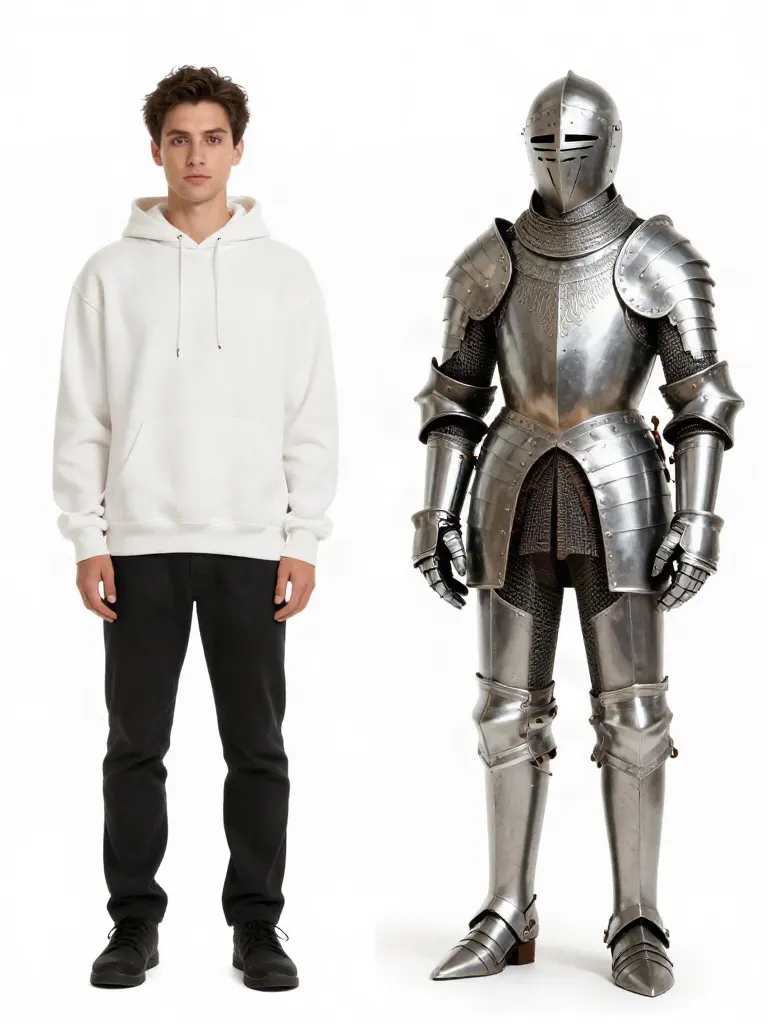 AI Video Rebuild →
 AI Talking Photo →
 Clone Trend (copy a trend from a link) →
 One-photo AI effects →
 AI Image Editor →