Zombie mode effect
Zombie mode turns the person in your photo into a zombie in a short clip: the calm portrait you add decays into the undead. The finished video lands on your order page and is ready to download.
Example result
How it works
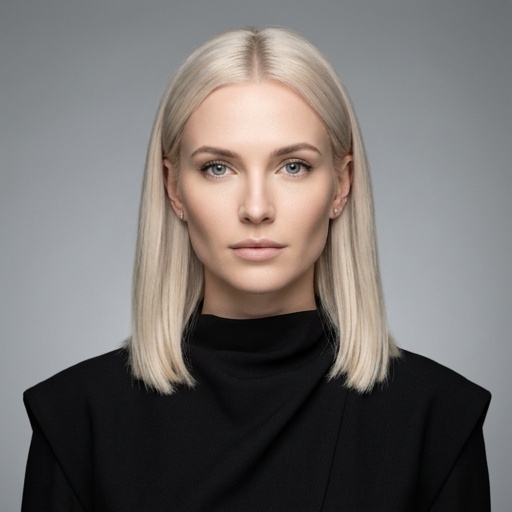
The sample poster shows where the clip begins: a woman with straight, pale blonde hair and a black high-collar top, eyes level with the camera and a neutral, almost solemn face against flat gray. That stillness is the setup, and the effect then drags the face somewhere much darker. It is popular for Halloween posts, horror-movie jokes, a friend's birthday prank or a profile video that is meant to unsettle. Within the transformations group, this is the one that goes toward decay and horror, not a younger self, a beast or a flashy superpower. A straight-on portrait with an unlit, plain face gives the change the cleanest starting point, because the contrast between before and after is part of the fun.
- Select a photo of one person looking toward the camera, with the face clear and unobstructed, since glasses, hands or heavy shadow can hide what the effect needs to change.
- The price for that photo is displayed on the page before you pay, and you complete the order by card with no sign-up.
- Once ready, the zombie clip sits on your order page as a short video that you can download.
Limits
- The photo has to be a JPEG, PNG or WebP under 10 MB, and it must show a single person.
- A face that is tiny, turned sharply sideways or covered gives the transformation less to grab, so results from those photos can be weaker.
- This produces a brief horror-style clip, not a movie scene, and yours will differ from the sample because it comes from your own picture.
Questions
Does Zombie mode need a neutral face like the one in the sample?
A calm, front-facing expression is a good start, as the sample shows. A big smile or open mouth can work, but a still face leaves a clear before and after for the effect to play with.
Will Zombie mode still work on a pet or a cartoon character?
This page is made for a photo of a person. A pet or drawing may not give the result you expect, so a clear human portrait is the safer choice.
What parts of the picture change when I run Zombie mode?
The effect targets the person, and the sample suggests a start of plain hair, collar and backdrop that frame the face. Your clip is created from your photo, so the surroundings come from your own scene.
Is Zombie mode suitable for a group photo of friends dressed up for a party?
It works best with one person per photo, so a crowd gives each face less attention. Make a separate clip for each friend and put them together afterward.
How is Zombie mode different from the werewolf and creature effects?
Werewolf and dragon pages push you toward an animal or fantasy look. Zombie mode aims at the undead, with the human face still the focus, so it suits spooky humor more than monster power.