Eye zoom challenge effect
Eye zoom challenge pushes the camera straight into one eye in your photo, passes through it and comes out the other side. You add one picture of a person, and the page returns a short camera-move clip built from it.
Example result
How it works
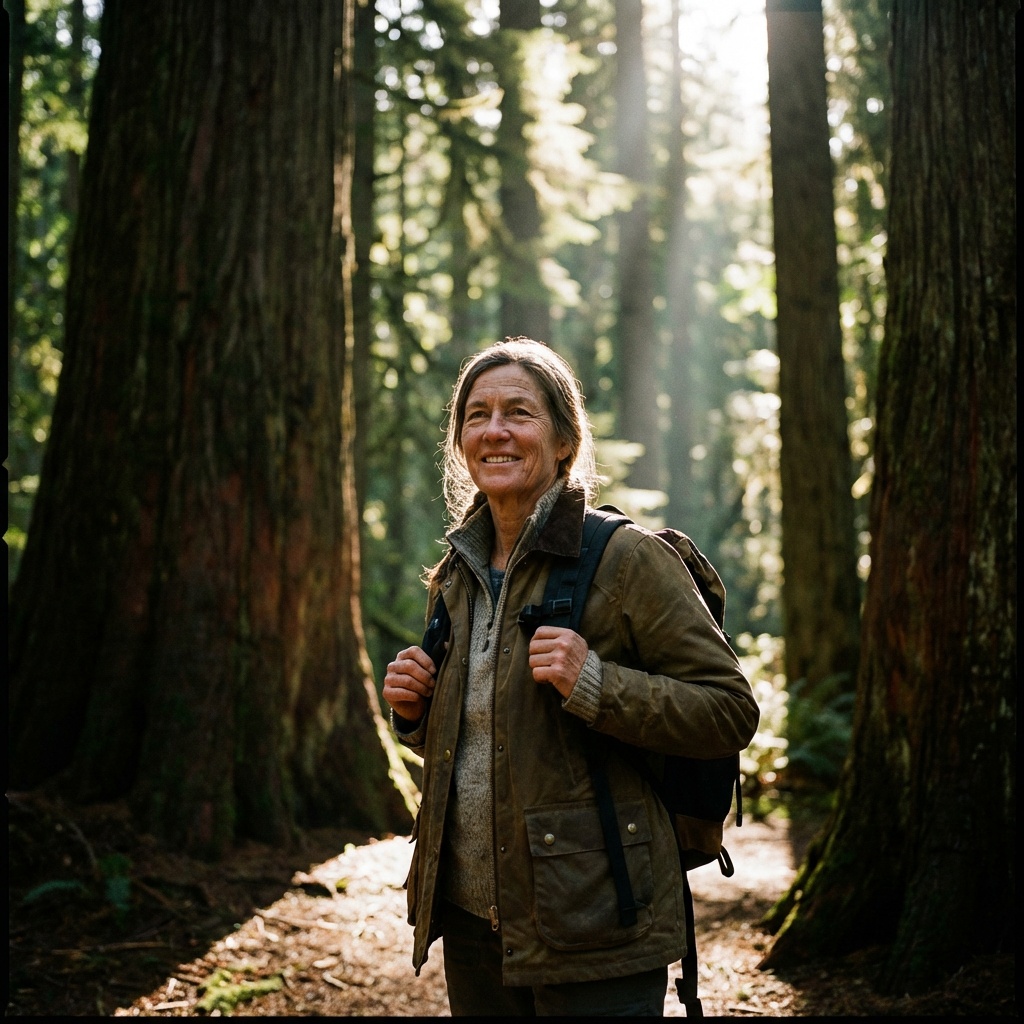
The sample above starts on a smiling hiker in a green jacket with a daypack, standing in a sunlit redwood-style forest, with tall trunks on both sides and light slanting through the branches. From that wide, calm frame the lens rushes toward her face and dives into an eye, the one moment this effect is named for. People pick it for reveal clips, intros and the kind of before and after cut that makes a viewer lean in. Other camera effects here spin, orbit or pull back across the whole scene, while this one commits to a single point on the face and travels through it. Because the whole move hangs on that one eye, the face in your photo does the heavy lifting.
- Pick a portrait where the eyes are open and easy to see, such as a person looking toward the lens in even light, like the hiker in the forest sample.
- Upload it and read the exact price the page shows for that photo, then pay by card. There is no account to create first.
- Your dive-through-the-eye clip lands on the order page when it is ready, and you download it from there.
Limits
- One photo per order, as JPEG, PNG or WebP, up to 10 MB.
- Sunglasses, a hand over the face, closed eyes or a head turned away leave the dive without a clear target.
- A tiny face inside a wide landscape, as in a far-off hiker, gives the zoom less detail to rush toward than a close portrait would.
- The result is a short camera-move clip, not a full video, and it will differ from the sample because it is made from your own photo.
Questions
Which eye does Eye zoom challenge fly into, and can I choose?
The page does not offer a control for picking an eye. The clip is made from your photo as a whole, so a portrait where both eyes are open and clearly visible gives the dive the most to work with.
Can Eye zoom challenge handle a photo of a person standing in a big scene like a forest?
Yes, the sample is exactly that: a hiker among tall trees. It works best when the face is large enough to show the eyes, so crop in closer if the person is a small figure far from the camera.
Does the Eye zoom challenge clip work with a pet or a drawing instead of a person?
This effect is set up for a person, with one subject in the picture. An animal, a cartoon or a group shot is not what it was built for, so results can be unpredictable.
Will my Eye zoom challenge clip match the forest sample at the top of the page?
The sample is one five second example made from a generated photo of a hiker. Your clip is made from your own picture, so the setting, light and the eye it dives into will be yours.
Do I need to sign up to get an Eye zoom challenge clip?
No. You add the photo, see the exact price for it, pay by card, and the finished clip appears on your order page ready to download.