Clay shot effect
Clay shot gives a photo a hand-made stop-motion clay look and animates it into a short clip. Add a picture, pay by card, and download the clip from your order page.
Example result
How it works
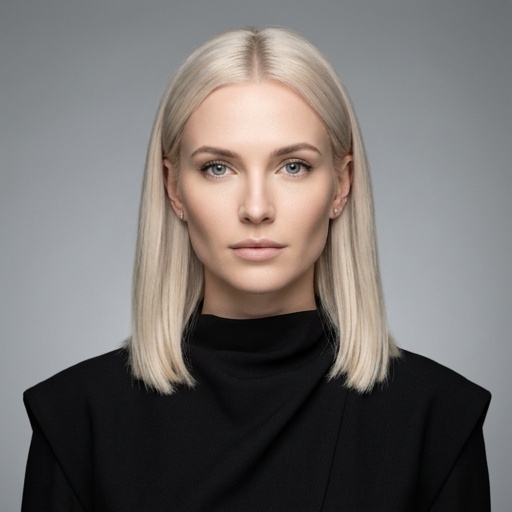
The sample frame is a plain studio portrait: a woman with a sleek, pale blonde bob, a steady direct gaze and a black high-neck top in front of a flat grey wall. The effect starts from a clean, readable face like that and reworks it into the chunky, slightly wobbly feel of modelling clay filmed one frame at a time. It is a good pick for creators who want a profile picture, a character shot or a gift that looks crafted by hand rather than photographed. Among the style effects it is the one that goes for a tactile, moulded surface, unlike the figurine, pixel or boxed-toy looks, so it rewards photos with clear shapes and simple backgrounds.
- Add one photo with a clear main subject and uncluttered backdrop, since clay reads best when the shapes of the face or object are easy to see.
- The exact price for that photo is shown on the page before you pay, and checkout is a card payment that needs no account.
- A short clay clip is produced and shows up on your order page, where it can be downloaded to keep or post.
Limits
- One JPEG, PNG or WebP photo up to 10 MB per order.
- Fine detail such as small text, thin patterns or a busy background tends to blur into the clay look, so simple scenes show the style better.
- The result is a short stylized clip, not a full video, and it is made from your photo, so it will not match the sample exactly.
Questions
Which kind of photo gives Clay shot the clearest clay look?
The sample was made from a portrait of one person, so a clear portrait is the safe choice. Results are strongest when the subject has a simple shape and sits apart from its background. Busy scenes give the clay look less to shape.
What does the Clay shot sample frame show before the clay look?
It shows a generated sample portrait, a blonde woman facing forward against grey, which is the kind of tidy start that suits this effect. Your own clip is made from your own photo, so the figure, colors and motion will be different.
Do I need a studio portrait to use Clay shot?
No. A phone photo is fine as long as the subject is sharp and well lit. A plain wall behind the subject helps, but it is advice rather than a rule, and many ordinary snapshots will still give a usable clip.
Is Clay shot meant to look like stop-motion animation?
That is the idea: a hand-molded clay surface with the stepped, slightly shaky feel of stop motion. How closely your clip matches that feel depends on the photo, so a clear, well-lit subject is the best way to get it.
Can I group several people in one Clay shot photo?
One photo is added per order, and it can hold more than one person, but the effect is easiest to read on a single subject. A crowd means each face gets small, and the clay shaping has less to hold on to.