Bullet time 360 effect
Bullet time 360 freezes the moment in your photo and swings a virtual camera in an arc around the subject, so one still becomes a short clip with parallax. You add one photo, pay by card, and download the finished clip from your order page.
Example result
How it works
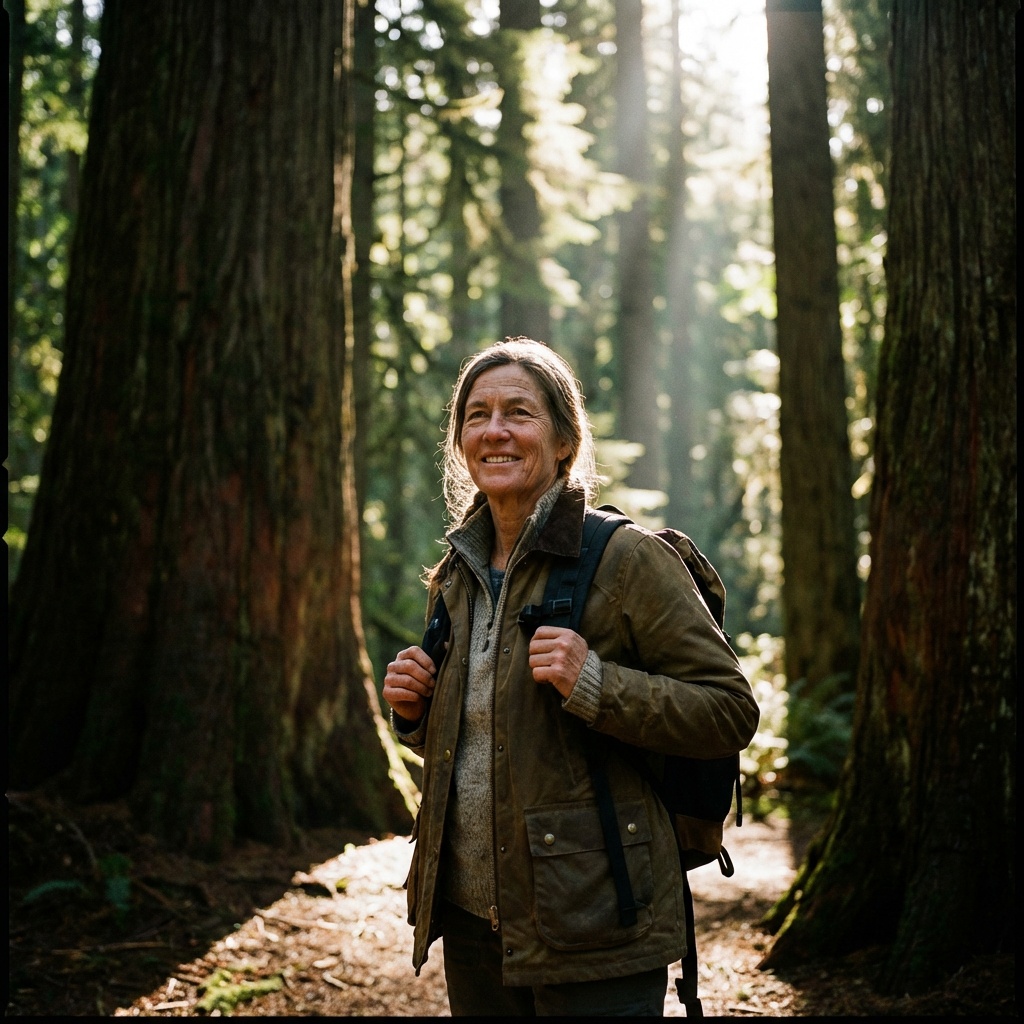
The sample above starts from a hiker standing between tall conifers, backpack straps in both hands, sunlight slanting through the trunks behind her. In the clip she stays locked in place while the viewpoint glides around her and the trees slide past at different speeds. That sideways sweep around a held pose is the whole idea, the look of a movie action beat where time stops and only the lens moves. People pick it for travel portraits, team photos, sports poses and any picture where the surroundings are worth seeing from a new angle. Sibling camera effects spin the frame or push toward a point; this one keeps the subject still and walks the camera along an orbit instead.
- Choose a photo where the whole subject is in frame with some room around them, like the hiker standing with trees on every side, so the sweep has background to reveal.
- Upload it and read the exact price the page shows for your photo, then pay by card. No sign-up is needed to pay.
- Wait on the order page until the orbit clip appears, then download it to share or post.
Limits
- One photo per order, as JPEG, PNG or WebP, up to 10 MB.
- A flat or empty backdrop gives the camera little to move past, so the parallax looks gentler than it does with trees, buildings or other layers.
- A group crammed edge to edge or a tightly cropped face leaves less to orbit around; the result is a short camera move, not a full video.
Questions
Does Bullet time 360 show what is behind my subject, even if the photo never shows it?
The sweep invents some of the view as the angle changes, so the sides and background are filled in rather than recorded. Photos with a clear foreground subject and visible depth behind it tend to give the most convincing move. Treat it as an interpretation of your picture.
Will the person in my Bullet time 360 clip really hold still like the hiker in the sample?
The effect is built around a frozen pose, so the subject is meant to stay put while the camera travels. Your own result is made from your photo and can differ from the sample, so a calm, upright pose is the safest starting point.
Which photo orientation suits Bullet time 360, portrait or landscape?
Either can be used. The sample is a portrait with a person in the middle and trees on both sides. Landscape photos give the sweep more sideways room, while portrait shots keep the focus on the subject. Pick the one that shows the most of the scene.
Can I use Bullet time 360 on a pet or an object instead of a person?
The effect belongs to the camera group, and it works with one clear subject. A person is the example here, so results with a pet or an object are less predictable. A sharp, well lit subject standing apart from its background works best.
Do I get an orbit in both directions with Bullet time 360?
You get one clip per order. The direction and arc of the sweep come from the effect, and your own result may differ from the sample, so plan on a single camera move rather than a choice of directions.
Related tools
- Orbit dolly effectThe camera circles around your subject.From $1.59
- Spin 360 effectA full 360-degree spin around your subject.From $1.59
- Art zoom challenge effectThe camera zooms through a series of artworks.From $1.29
- Put yourself in a videoUpload a video and your photo, get you in place of the person in it.