Cheap AI Relight for Any Photo
Yes, to try. Inflyu's AI Relight Photo changes the lighting mood of a photo: upload an image, pick a preset (golden hour, studio, neon or window light) or describe your own light, and the AI relights the scene. A free account needs no card and gets 2 images in total once your email is verified. Credit packs start at $2.99 with no subscription. Results made with free credits carry a small "Made with inflyu" mark.
A new lighting mood should not need a reshoot. A free account gets 2 free images in total once your email is verified, then you can keep a cheap credit pack on it for the rest.
See the full AI RelightOne free try now
Free here: 2 images from your 20 credits, in total across all tools. More need a pack.
See What You Can Create
Real examples rendered with Change the lighting (Relight)
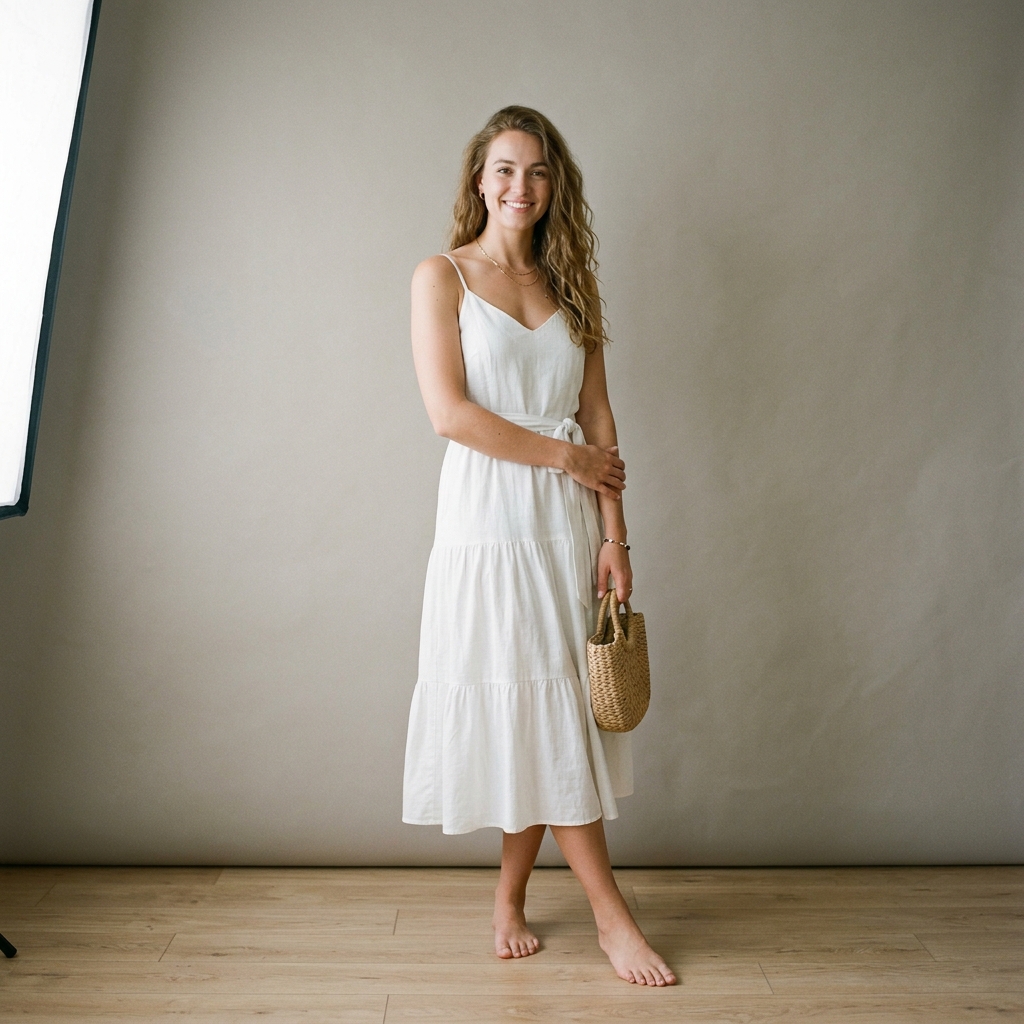 Before
 After
Santorini Sunset Reimagine
 Before
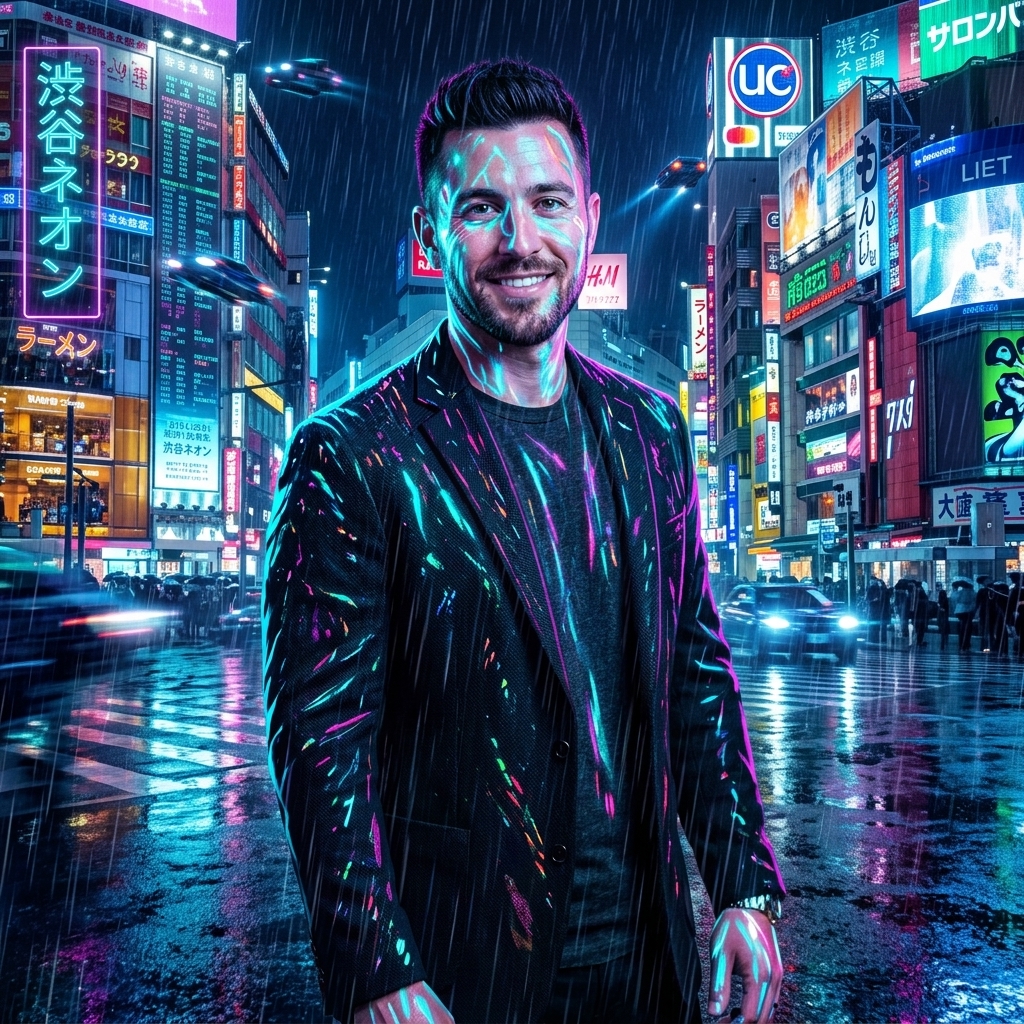 After
Cyberpunk Shibuya Night
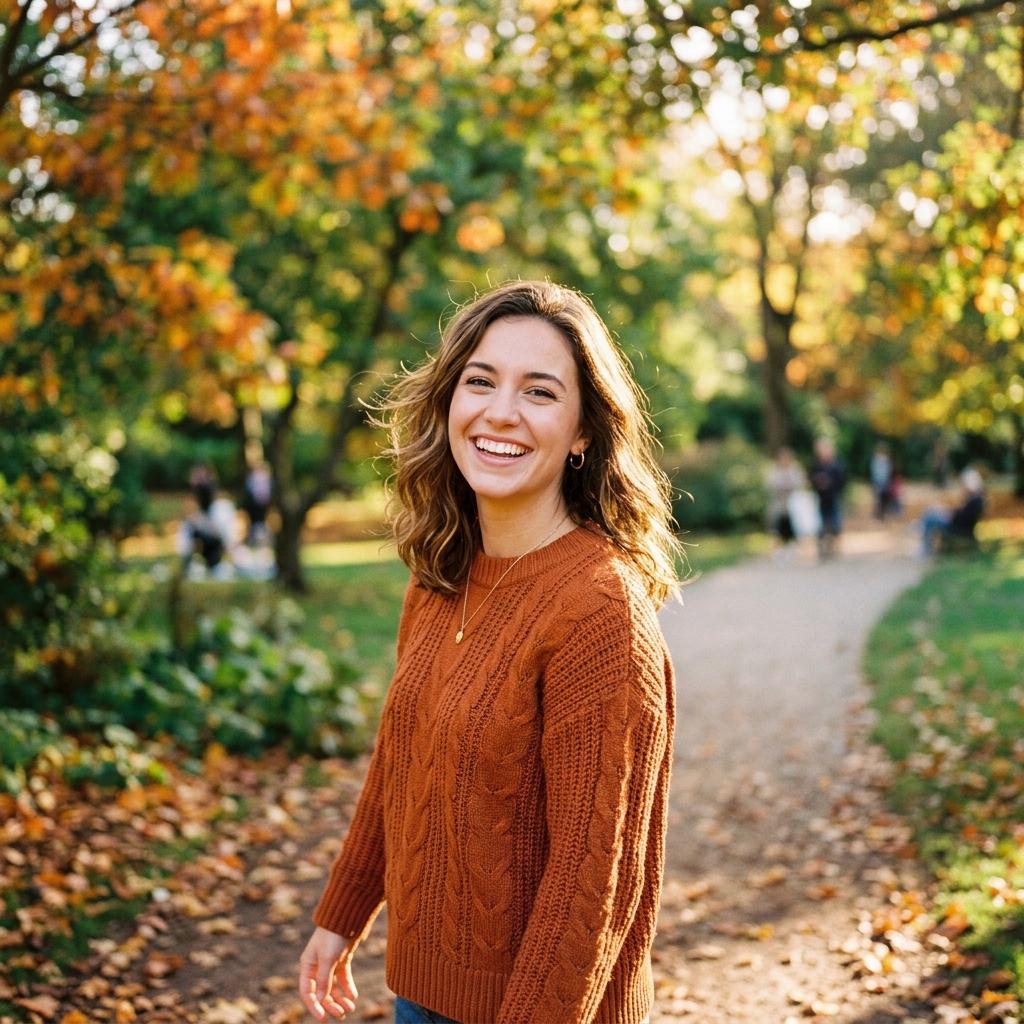 Before
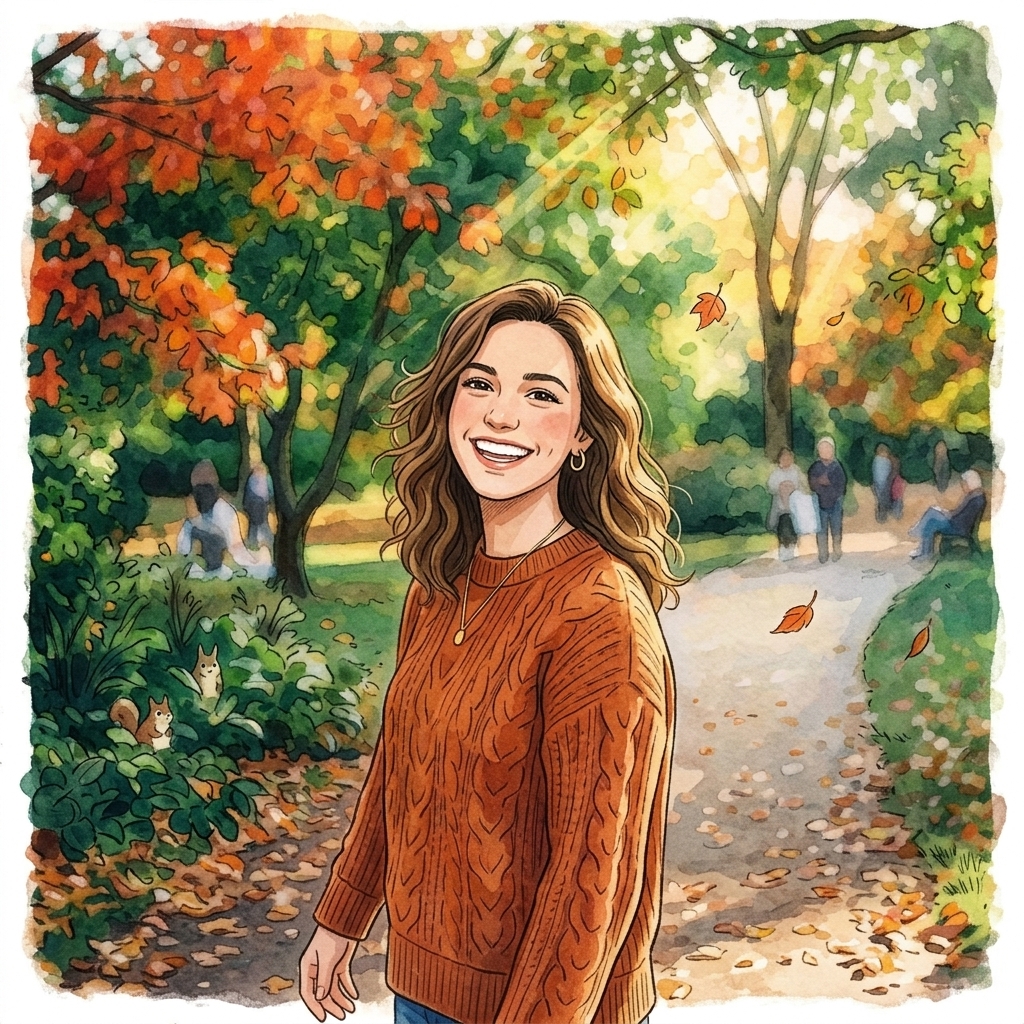 After
Ghibli Studio Illustration
How do I change the lighting of a photo with AI?
Upload your photo
Upload your photo. Choose the image whose lighting you want to change, up to 10 MB.
Pick the light
Pick the light. Choose golden hour, studio, neon or window light, or describe your own.
Run the relight
Run the relight. The AI changes the lighting; the pose and background are meant to stay.
Download the relit photo
Download the relit photo. Preview the new lighting and save it.
Is there a free AI tool to change the lighting of a photo I already have?
Yes, to try. A free account needs no card and gets 2 images in total once your email is verified. You make the account when you upload your photo, then the tool runs. After that, credit packs unlock more, starting at $2.99 with no subscription. Results made with free credits carry a small "Made with inflyu" mark.
What is the best AI tool for changing the lighting of a photo?
It depends on the limits you need. Magic Hour lists 3 free relights a day with no sign-up and square 1:1 output; Upsampler needs no sign-up and gives about 1 megapixel on a daily allowance; Dzine's free offer covers basic lighting adjustments; Fotor's page states no trial terms. Inflyu offers four presets or a described light, 2 free relights with a verified email, and credit packs from $2.99 with no subscription.
| Tool | Free to try | Works on your own photo | Needs a card | Output limit | Entry price | Bad at |
|---|---|---|---|---|---|---|
| Inflyu | A free account (no card) gets 2 images in total once the email is verified; credit packs from $2.99 | Yes, you upload your own photo | No card to sign up. Packs are paid at checkout. | One relit photo per run; photo up to 10 MB with a shorter side of at least 256 px; 4 presets or a light you describe | Credit packs from $2.99, no subscription | Results made with free credits carry a small "Made with inflyu" mark |
| Fotor | Title says Free to Adjust the Light; no trial terms | Yes | Not stated | Not stated | Not stated | Not stated |
| Magic Hour | Free, no sign up required | Yes | No | 3 free relights a day; results are not watermarked; output square 1:1 | Not stated | Very dark, blurry or overexposed photos are harder |
| Upsampler | No sign-up needed; results are not watermarked | Yes (PNG, JPG, WEBP) | Not stated | Daily allowance on shared GPUs; about 1 megapixel output | Not stated | Complex multi-light scenes are simplified |
| Dzine | Free for all users; basic lighting adjustments | Yes | Not stated | Not stated | Not stated | Free offer covers only 'basic lighting adjustments' |
Competitor facts come from each tool's own page, checked 1 Nov 2026.
Fotor alternative for changing the lighting of a photo
Fotor's page carries the title Free to Adjust the Light and takes an image you upload; it states no trial terms or limits. Inflyu's AI Relight Photo offers four presets, golden hour, studio, neon and window, or a light you describe, and is meant to leave the pose and background alone. Pick Fotor if you want to adjust light inside a general editor; pick Inflyu for a preset or described lighting mood, with a free account, no card and credit packs from $2.99 with no subscription.
Compare with Fotor on its own page.
Does AI relighting look realistic, and what are the limits?
It looks most natural on a sharp photo with a clear light direction; evenly lit photos change less. The pose and background are meant to stay, but faces and fine detail can shift a little, and a photo whose shorter side is under 256 px is refused before any charge.
Limits today
- Evenly lit photos change less than strongly lit ones, so the new light shows most when the source has a clear light direction.
- The pose and background are meant to stay, but the AI regenerates the lighting, so faces and fine detail can shift a little.
- A photo whose shorter side is under 256 px is refused before anything is charged.
- If the AI's safety filter declines a photo, or the provider fails, you are not charged.
- Results made with free credits carry a small "Made with inflyu" mark; the free try needs a verified email.
What works best
- A sharp photo up to 10 MB with a clear subject and some existing light and shadow.
- One of the four presets for a first try, or a short description of the light you want.
- To compare moods, run the tool again with another preset on the same photo.
Frequently Asked Questions
Is AI relighting cheap on Inflyu?
A free account gets 2 free images in total once your email is verified. After that, affordable credit packs cover extra moods without a monthly plan on this page.
Does relighting change the pose or background?
No. Only the lighting, shadows, and highlights change: the subject and background composition stay the same.
Do I need a card for the trial?
No card for the free try. Account creation is free, and you make the account when you upload your photo. 20 free credits are added at sign-up. Verify your email to use them. Google sign-in doesn't count.
How do I get more relights?
Sign up, then purchase an affordable credit pack in the app. Credits do not expire.
How do I change the lighting of a photo with AI?
Upload a photo, choose golden hour, studio, neon or window light (or describe your own), run the relight, then preview the new lighting and save it. The pose and background are meant to stay.
What is the best AI tool for changing the lighting of a photo?
It depends on the limits you need. Magic Hour lists 3 free relights a day with no sign-up and square 1:1 output; Upsampler needs no sign-up and gives about 1 megapixel on a daily allowance; Dzine's free offer covers basic lighting adjustments; Fotor's page states no trial terms. Inflyu offers four presets or a described light, 2 free relights with a verified email, and credit packs from $2.99 with no subscription.
Fotor alternative for changing the lighting of a photo
Inflyu's AI Relight Photo is an alternative when you want a lighting mood: pick golden hour, studio, neon or window light, or describe your own. A free account needs no card and gets 2 free relights with a verified email. Fotor's page states no trial terms or limits.
Does AI relighting look realistic, and what are the limits?
It looks most natural on a sharp photo with a clear light direction; evenly lit photos change less. The pose and background are meant to stay, but faces and fine detail can shift a little, and a photo whose shorter side is under 256 px is refused before any charge.