Turn a Product Photo Into a Video
One Photo, One Short Clip, Free to Start
Yes. Inflyu's AI Image to Video (Animate still) turns one photo you upload into a 4, 6 or 8 second clip, with an optional motion prompt. A free account with 20 sign-up credits and no card can run one animation once the email is verified: 6 seconds on the default model, 6 with Seedance 1.5 Pro picked, watermarked. Credit packs start at $2.99 with no subscription.
Free here: one video up to 6 s from your 20 credits. Longer or more need a pack. Verify your email to use them. Google sign-in doesn't count. On the default model the free clip is 6 seconds and takes 20 of your credits. Later clips cost from 28 credits, with the price shown before you run. The clip carries a small "Made with inflyu" mark and a short Inflyu card at the end.
See the full AI Image to Video


Creators who start free on Inflyu
What a product clip from one photo gives you
Your photo stays the starting frame.
Your product, in motion
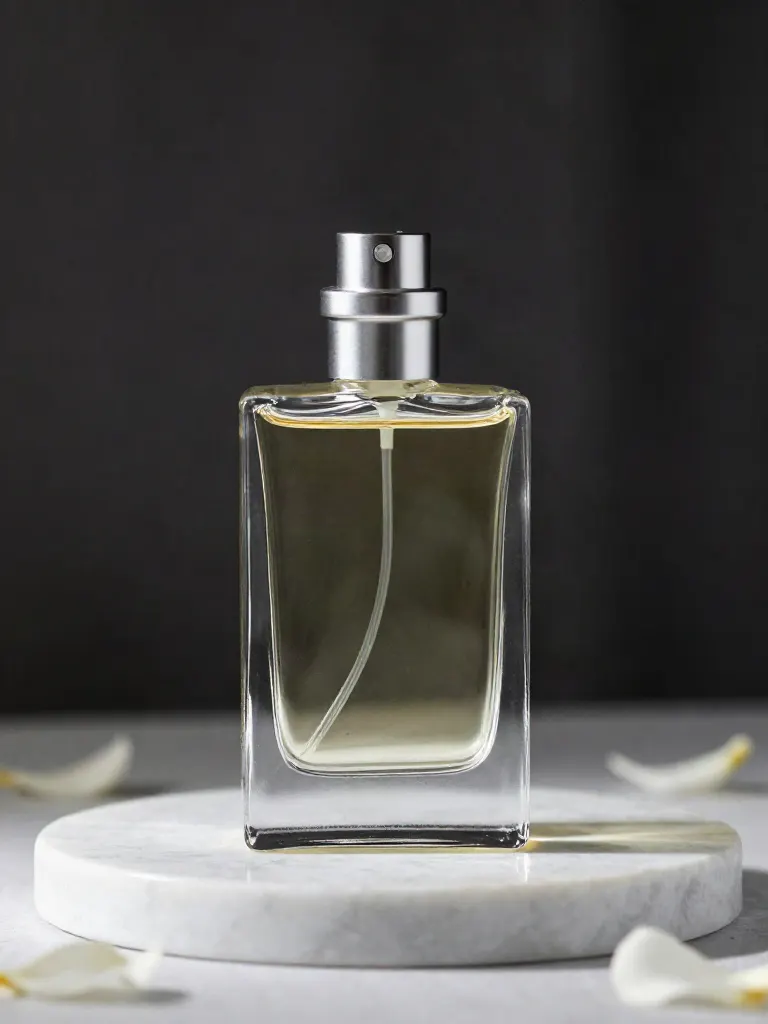
Use a clean product photo with space around the item. The clip starts from your picture and moves forward from there.
Camera moves in plain words
Ask for a slow push-in, a gentle pan or a light shift. Calm moves suit a still product shot.
Priced before you run
After your free clip, a 4 second clip is 28 credits and a 6 second clip is 28. The editor shows the total before you start.
Photo kept
The photo is not replaced. The clip saves next to it in your gallery.
Refund on failure
If the animation fails, the credits come back to you automatically.
How do I turn a photo into a video with AI?
Follow these steps in the app.
Upload your photo
Use one JPG, PNG or WebP up to 10 MB with a short side of at least 300 px; it is checked before any credits are charged.
Describe the motion
This is optional: the default is a slow push-in with light natural movement, and you can name up to 3 moves in plain words.
Pick the length and model
Clips run 4, 6 or 8 seconds at 720p, and the Model row offers Happy Horse (default), Kling 3.0, Seedance 1.5 Pro and Seedance 2.5. The price shows before anything runs.
Generate and download
The job runs in the background and the clip saves to your gallery. On a free account, a photo too weak to animate well gets a preview picture instead and your one animation is kept.
Is there a free AI tool to turn a photo I already have into a video?
Yes, you can start free. Create an account (20 sign-up credits, no card) and verify your email, and the credits cover one animation: 6 seconds on the default model, or 6 seconds if you pick Seedance 1.5 Pro in the Model setting. Free-account clips carry the Inflyu mark. More clips and longer lengths use a credit pack, from $2.99, with no subscription.
What is the best AI tool to turn a photo into a video?
It depends on what you need. In this comparison, Higgsfield and Hailuo describe video from images but state no free tier or price on the pages we read, Runway lists 125 one-time credits and Standard from $12 a month billed annually, and Pika lists a free plan with no monthly credits (packs only). Inflyu gives 20 sign-up credits, clips of 4, 6 or 8 seconds and packs from $2.99 with no subscription.
| Tool | Free to try | Works on your own photo | Needs a card | Output limit | Entry price | Bad at |
|---|---|---|---|---|---|---|
| Inflyu | 20 sign-up credits with a free account; credit packs from $2.99 | Yes, you upload your own photo | No card to sign up. Packs are paid at checkout. | 4, 6 or 8 second clips at 720p from one photo; a free account can run 6 seconds at most | Credit packs from $2.99, no subscription | Clips stop at 8 seconds; there is no longer length in this tool |
| Higgsfield | Not stated | Yes (home page: video from text, images and references) | Not stated | Not stated | Not stated | Pricing page (higgsfield.ai/pricing) returned no plan details when fetched, so free tier and prices are unconfirmed. |
| Kling | Not stated | Not stated | Not stated | Not stated | Not stated | Pricing and membership pages did not return plan text when fetched (page loads client-side). |
| Runway | 125 one-time credits to explore Runway's AI tools | Not stated | Not stated | Free credits are one-time, not monthly; clip length and resolution not stated | Standard $12/mo billed annually ($15/mo billed monthly) | Free plan is a one-time 125 credits (not renewed monthly) and only a selection of generative models. |
| Pika | Free plan lists all models and 0 monthly credits (credit packs only); the plan list marks it without a watermark | Not stated | Not stated | Free plan: 0 monthly credits; clip length not stated | Starter $10/mo billed monthly | Free plan excludes commercial license, priority queue and early model access. |
| Hailuo | Not stated | Yes (templates say "Upload a photo to generate a video") | Not stated | Not stated | Not stated (page shows "From /mo" with the amount missing) | Not stated |
Competitor facts come from each tool's own page, checked 1 Nov 2026.
Higgsfield alternative for animating a photo into a video
Higgsfield and Inflyu's AI Image to Video both start from an image. Higgsfield's home page lists video from text, images and references; the pages we could read did not state its free tier, prices or clip limits, so we do not compare those. Inflyu's Animate still does one job and states its terms: one photo in, a 4, 6 or 8 second clip out, 20 sign-up credits on a free account, packs from $2.99, and the price on screen before it runs. Pick Higgsfield if you want its text-and-references workflow. Pick Inflyu if you have one photo, want to see the price first and want to try it on a free account.
Compare with Higgsfield on its own page.
Does AI turn a photo into a realistic video, and what are the limits?
Gentle motion on a sharp photo looks the most natural; big action on a still portrait often looks worse. Clips are 4, 6 or 8 seconds at 720p, a prompt keeps its first 3 moves, and the photo needs a short side of at least 300 px. A free account that sends a weak photo gets a preview picture and keeps its one animation.
Limits today
- Length: 4, 6 or 8 seconds per clip at 720p. A free account's animation is 6 seconds on the default model and 6 seconds with Seedance 1.5 Pro picked; anything longer needs a credit pack.
- Photo: a short side of at least 300 px and up to 10 MB. A file that is not a readable photo is refused before any charge.
- Motion: only the first 3 moves of a prompt are used, so a long wish list gets cut, and big action on a still portrait often looks worse than a slow push-in.
- Framing: the clip follows the photo, cropped to the nearest of 16:9, 9:16, 1:1, 4:3 or 3:4. It is not stretched.
- Screenshots: app bars and buttons inside a screenshot are animated with the rest, so crop the picture itself first.
- Spending credits needs a verified email address.
What works best
- A sharp, evenly lit photo with one clear subject; the model is told to keep each person’s face and clothing.
- A gentle prompt in camera language, such as a slow push-in or hair in a breeze.
- A photo already cropped to the shape you will post it in.
- The free preview: if your photo is too weak, a free account sees a preview picture before the animation is spent.
AI Image to Video: free FAQ
Is the AI Image to Video really free?+
Yes, for one short clip. Once your email is verified, a free account (no card) includes one video of up to 6 seconds in the Video Editor, and this tool is one of the tools it covers. Verify your email to use them. Google sign-in doesn't count. The editor shows the price before you run, and the free clip has to fit in your 20 sign-up credits. Longer clips and more runs need any credit pack, from $2.99 with no subscription. Results made with free credits carry a small "Made with inflyu" mark, and a free video also ends on a short Inflyu card. Any credit pack removes both on new results.
What product photos animate well?+
A sharp photo of one item on a plain or simple background, with some empty space around it. Busy flat lays with many small items give the model less to follow.
Will the label and small print stay readable?+
Shape and colour carry over, but fine print and small logos can drift while the item moves, so look the clip over before you use it in an ad.
Is this a full video ad?+
No. This tool makes one moving clip from one photo. Voice, on-screen text and several scenes are not part of it.
Can I use a photo from a supplier or a shop?+
Only if you have the right to use it. Use your own product photos or ones you are licensed to edit.
How do I turn a photo into a video with AI?+
Upload one photo (JPG, PNG or WebP, up to 10 MB), optionally describe the motion, pick 4, 6 or 8 seconds and a model, then generate. The price shows before it runs, and the clip lands in your gallery when the background job finishes.
What is the best AI tool to turn a photo into a video?+
It depends on what you need. In this comparison, Higgsfield and Hailuo describe video from images but state no free tier or price on the pages we read, Runway lists 125 one-time credits and Standard from $12 a month billed annually, and Pika lists a free plan with no monthly credits (packs only). Inflyu gives 20 sign-up credits, clips of 4, 6 or 8 seconds and packs from $2.99 with no subscription.
Higgsfield alternative for animating a photo into a video+
Inflyu's AI Image to Video animates one photo into a 4, 6 or 8 second clip, with the price shown before it runs and 20 sign-up credits on a free account. Higgsfield's home page lists video from text, images and references, but we could not read its free tier or prices. Choose Higgsfield for its text-and-references workflow, and Inflyu for a one-photo animation you can try free.
Does AI turn a photo into a realistic video, and what are the limits?+
Gentle motion on a sharp photo looks the most natural; big action on a still portrait often looks worse. Clips are 4, 6 or 8 seconds at 720p, a prompt keeps its first 3 moves, and the photo needs a short side of at least 300 px. A free account that sends a weak photo gets a preview picture and keeps its one animation.
Do I need a subscription?+
No. You can pay as you go: credit packs are one-time purchases and their credits never expire. If you would rather have a steady supply, the monthly Starter ($9.99), Creator ($19.99), Pro ($49.99) and Brand ($99.99) plans refill your credits each month, and you can cancel anytime. Unused monthly credits do not roll over.
 AI product video ad →